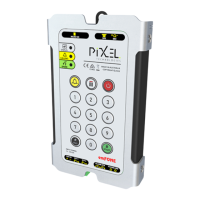
Telephone Line Powered Auto Dialing emFONE
Copyright © 2014 Pixel Technologies Pty. Ltd
3.3.5. Programming for HOTLINE Operation
A HOTLINE, or pre-programmed self-dialing telephone line, is a telephone line which will automatically
connect to a single predetermined number when the phone goes off-hook. This feature is controlled
by the service provider.
NOTE: To change the number the hotline is configured to dial, please contact your service provider.
When connecting to a HOTLINE, disable the unit from dialing a number when an alarm call is raised by
entering the following sequence:
3.3.6. Changing the GET Number
The GET number is dialed when the ‘i’ (information) button on the unit’s keypad is pressed.
The number by default is ‘12722123’, which dials the ‘own number recorded voice announcement’
feature allowing the user to identify the telephone line number in which the unit is connected to.
To change the GET number to dial a different service provider, enter the following sequence:
To hear an audible playback of the GET number, enter the following sequence:


 To Next Page