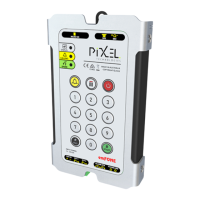
Telephone Line Powered Auto Dialing emFONE
Copyright © 2014 Pixel Technologies Pty. Ltd
3. Configuration
The EM-2 can be configured from the on board membrane keypad or alternatively by dialing in
remotely and entering programming sequences using a touch tone telephone or mobile handset.
To enter any configuration sequence via the onboard keypad the unit must first be turned on by
holding down the button for 1 second.
NOTE: After successfully entering a programming sequence the unit will play 4 beeps. If you do not
hear these beeps, this indicates that the sequence was entered incorrectly and has not been
registered.
Whilst entering a programming sequence the unit will allow 3 seconds between each key press and
the next. If this time lapses the sequence is reset and you will need to commence the sequence from
the beginning.
3.1. Security Auto-Answer
The Security Auto-Answer mode allows the unit to answer an incoming call if the auto-answer feature
has been disabled as detailed in section 3.5 Advanced System Settings.
To enter security auto-answer mode follow the steps below:
1. Dial into the unit and hang up after one ring tone.
2. The unit is now in Security Auto-Answer mode for 20 seconds.
3. Dial into the unit during this period and it will auto-answer an incoming call.
4. You are now ready to program the unit.
NOTE: If a call to the unit is not made within the 20 second window, it will return to normal mode, and
the process will need to be repeated.
After connecting to the unit, enabling the auto-answer feature can be achieved, refer to section 3.5
Advanced System Settings for further details.
3.2. Programming PIN Code
The factory default PIN code required to successfully enter a programming sequence is 123.
To change the PIN code, enter the following sequence:
NOTE: New PIN must be 3 digits long.


 To Next Page