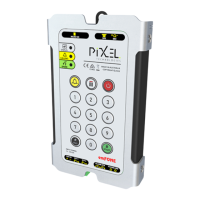
Telephone Line Powered Auto Dialing emFONE
Copyright © 2014 Pixel Technologies Pty. Ltd
3.5. Advanced System Settings
3.5.1. Dial Time (A)
The time the unit will dial a help number before it proceeds to the next help number.
3.5.2. Talk Time (B)
The maximum length of conversation time during a call.
3.5.3. Silence Time (C)
The unit will end a call when there is no conversation detected for the duration of the silence time.
3.5.4. Alarm Button Timer (D)
The period the alarm button will need to be pressed and held before a call is initiated.
3.5.5. Auto-Answer Ring Count (E)
When remotely dialing into the unit, and if the auto-answer feature has been enabled, the ring count
will determine how many rings the unit will detect before answering the call.
3.5.6. Auto-Answer (F)
The unit will auto-answer a call if this feature is enabled. If disabled it will not pick up a call. Disable
when multiple units are sharing the same line, and incoming calls are answered from another handset.
3.5.7. PABX Continuous Tone Detector (G)
Certain PABX systems send a continuous tone as opposed to a busy tone when a call ends, the unit can
sample this tone and disconnect the call when enabled.
3.5.8. Programming the Advanced System Settings
To program the advanced system settings, once values are defined, enter the following sequence:
PABX Continuous Tone Detector
Table 2 - Advanced System Settings
To hear an audible playback of the advanced system settings, enter the following sequence:


 To Next Page