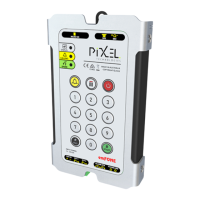
Telephone Line Powered Auto Dialing emFONE
Copyright © 2014 Pixel Technologies Pty. Ltd
3.6. Audio & Relay Settings
3.6.1. Voice Identification Message (A)
The built-in digital voice message can be disabled or set to play automatically when a call is answered
or by a remote DTMF sequence of '*9'.
3.6.2. Speaker Volume (B)
The speaker volume alters the output level of the speaker when in conversation.
3.6.3. Relay 1 and Relay 2 Options (C and D)
There are three programmable options to choose from as detailed in Table 3, section C & D.
3.6.4. Relay ON Time (E)
The relay 'ON' time is configurable, this sets the duration of which the relay will remain ON.
3.6.5. Relay Type (F)
The relay contact configuration can be set to either normally open (N/O) or normally closed (N/C).
3.6.6. Programming the Audio & Relay Settings
To program the audio & relay settings, once values are defined, enter the following complete
sequence:
Voice Identification
Message
1 = Play upon call being answered
2 = Play when (*9) is entered
1 = ON when call is answered
2 = ON when DTMF code (#81) is
sent
1 = ON when call is answered
2 = ON when DTMF code (#82) is
sent
Table 3 - Audio & Relay Settings
To hear an audible playback of the audio & relay settings, enter the following sequence:


 To Next Page