64-Channel Windows-based Network Video Recorder with 8-bay Hard Disks
NVR-E6480
44
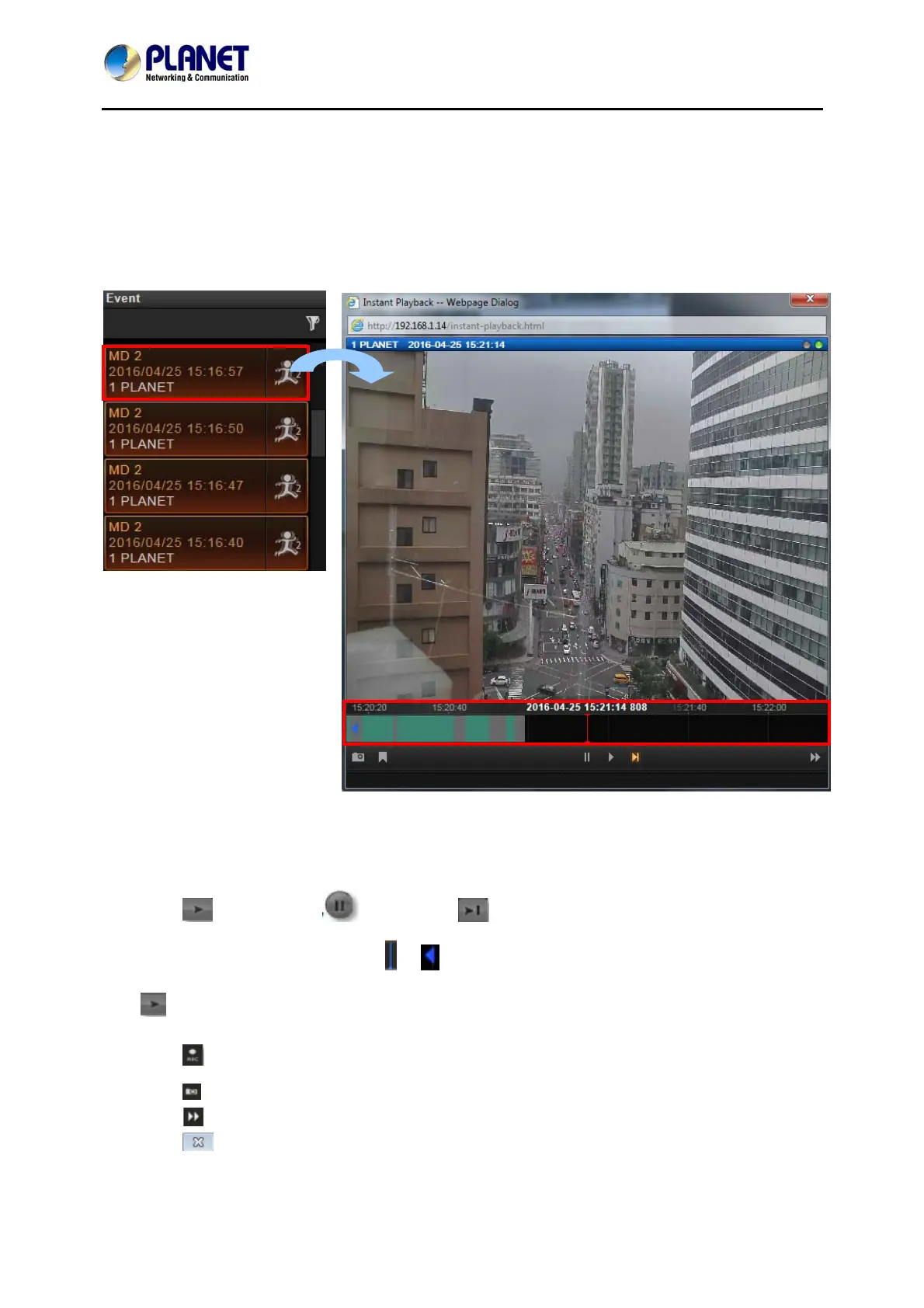
6.1.3 Instant Event Playback
Among these types of Event messages, you may individually watch the event playback of a
motion (video motion, DI or PIR) event or transmission status event (video recovery and loss,
or network recovery and loss). To bring up the instant event playback window, double-click on
an event entry:
As the window pops out, it will immediately start playing live view stream. You may draw the
time bar back and forth to search.
Click
to play video, to pause, or to play live view video.
On time bar, click the blue mark
or which indicates the event’s occurrence, and then
to play back this event.
Click
to manually start recording the currently-playing video.
Click
to take a snapshot of this view.
Click
to switch to Playback screen.
Click
on the top right of the window title to close.



 To Next Page