64-Channel Windows-based Network Video Recorder with 8-bay Hard Disks
NVR-E6480
54
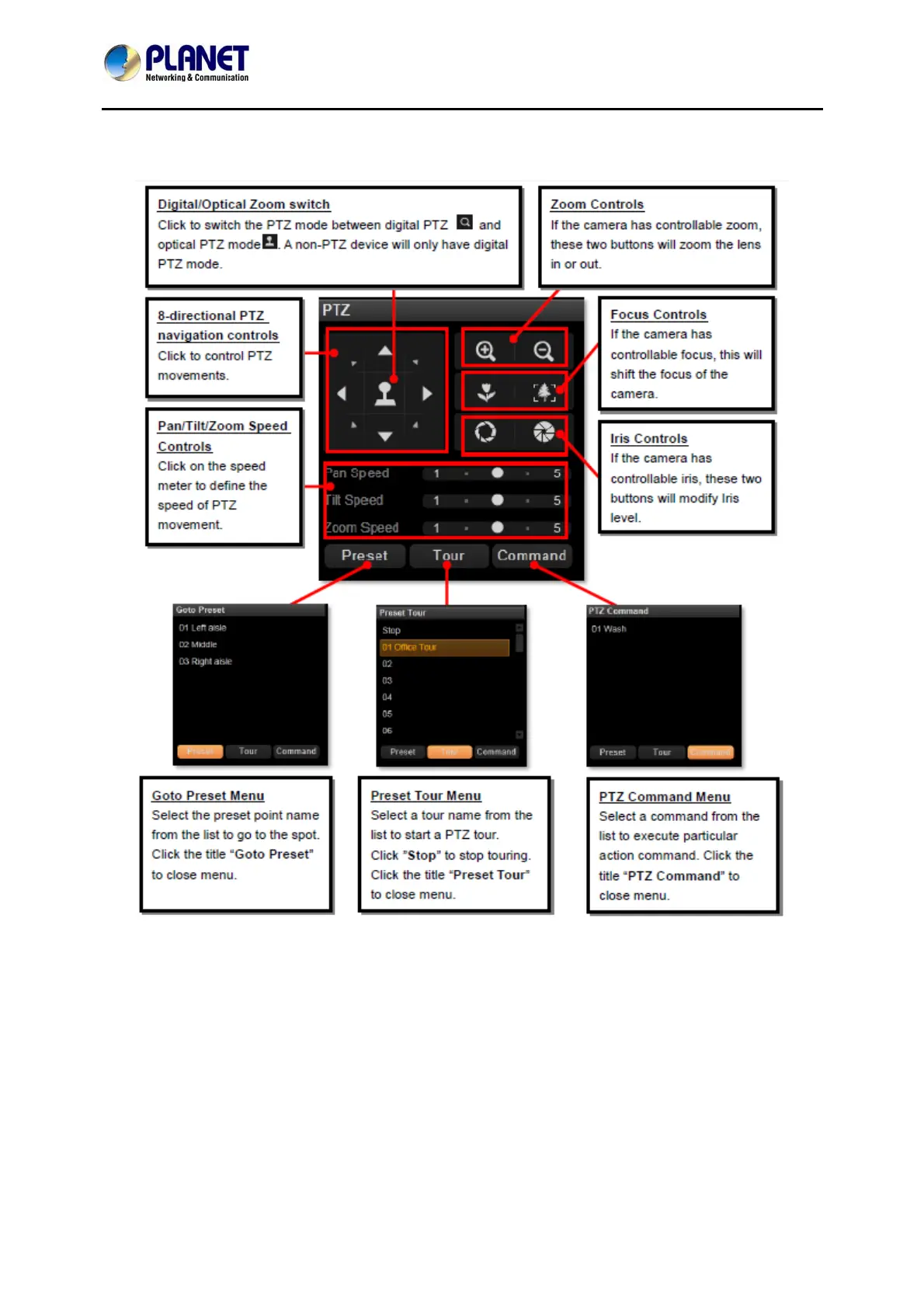
PTZ Panel Overview
Using Mouse Controls
You may also use mouse to perform PTZ negation on a channel view or a mini live view
window on a map.
Place the mouse over the channel to do the following PTZ operations:
To execute optical Panning and Tilting, click anywhere on the live window to allow the
camera to move in that direction. The length of the direction indicator is proportional to the
Pan and Tilt speed. The farther you place the cursor from the center, the faster the
Pan/Tilt movement.
To execute optical Zoom in or Zoom out, scroll the mouse wheel forward to zoom in;



 To Next Page