14
6.RecoveringBacktoDefaultConguration
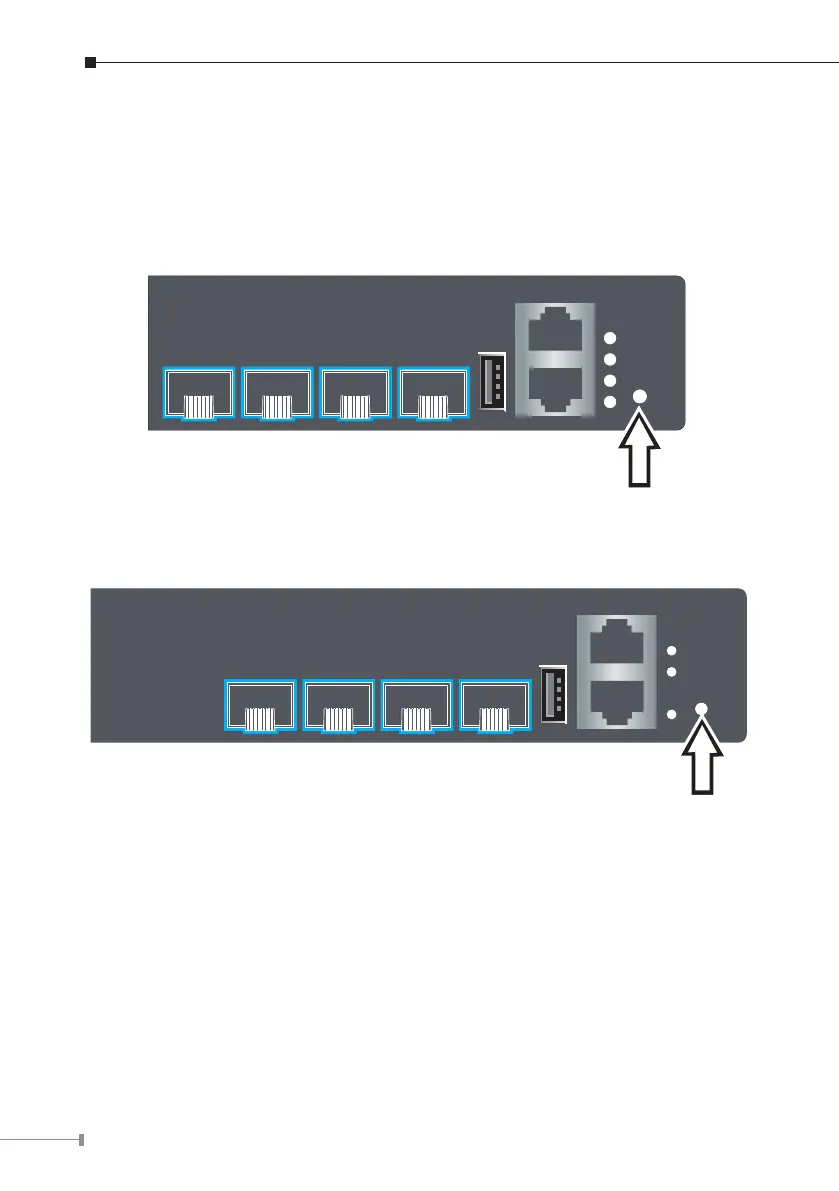
To reset the IP address to the default IP address “192.168.0.254” or reset the
login password to default value, press the hardware reset button on the rear
panel for about 10 seconds. After the device is rebooted, you can login the
managementWebinterfacewithinthesamesubnetof192.168.0.xx.
Console
115200,N,8,1
MGMT
USB
SYS
PWR
PoE
MGMT
Reset
25 26 27 28
L3 24-Port Gigabit 802.3at+4-Port
10G SFP+ Stackable Managed Switch
Figure 6-1: SGS-6341-24P4X Reset Button
Console
115200,N,8,1
MGMT
USB
SYS
PWR
MGMT
Reset
25 26 27 28
Layer3 24-Port 10/100/1000T+
4-Port 10G SFP+ Stackable Managed Switch
Figure 6-2: SGS-6341-24T4X Reset Button



 To Next Page
 Loading...










