6
4. Terminal Setup
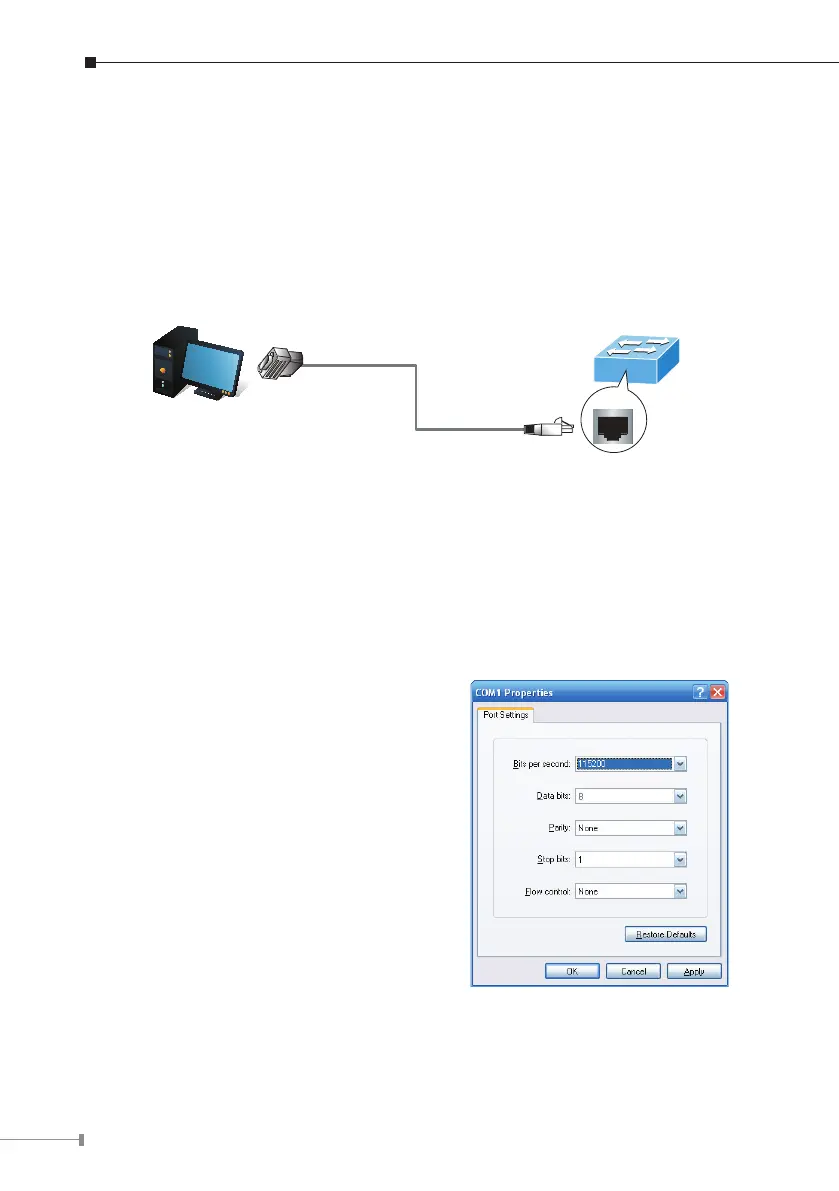
To congure the system, connect a serial cable to a COM port on a PC or
notebook computer and to serial (console) port of the Managed Switch. The
console port of the Managed Switch is DCE already, so that you can connect the
consoleportdirectlythroughPCwithouttheneedofNullModem.
Managed Switch
PC / Workstation
with
Terminal Emulation Software
Serial Port
RS232 to RJ45 Cable
Console Port
RJ45
Figure 4-1 Managed Switch Console Connectivity
A terminal program is required to make the software connection to the Managed
Switch.TeraTermprogram maybe a good choice. TheTeraTermcan be accessed
fromtheStart menu.
1. Click START menu, then Programs,andthenTera Term.
2.When the following screen appears, make sure that the COM port should be
conguredas:
z Baud:115200
z Parity:None
z Databits:8
z Stopbits:1
z Flowcontrol:None
Figure 4-2 Tera Term COM Port Conguration



 To Next Page
 Loading...










