User Manual of WRE-1200
32
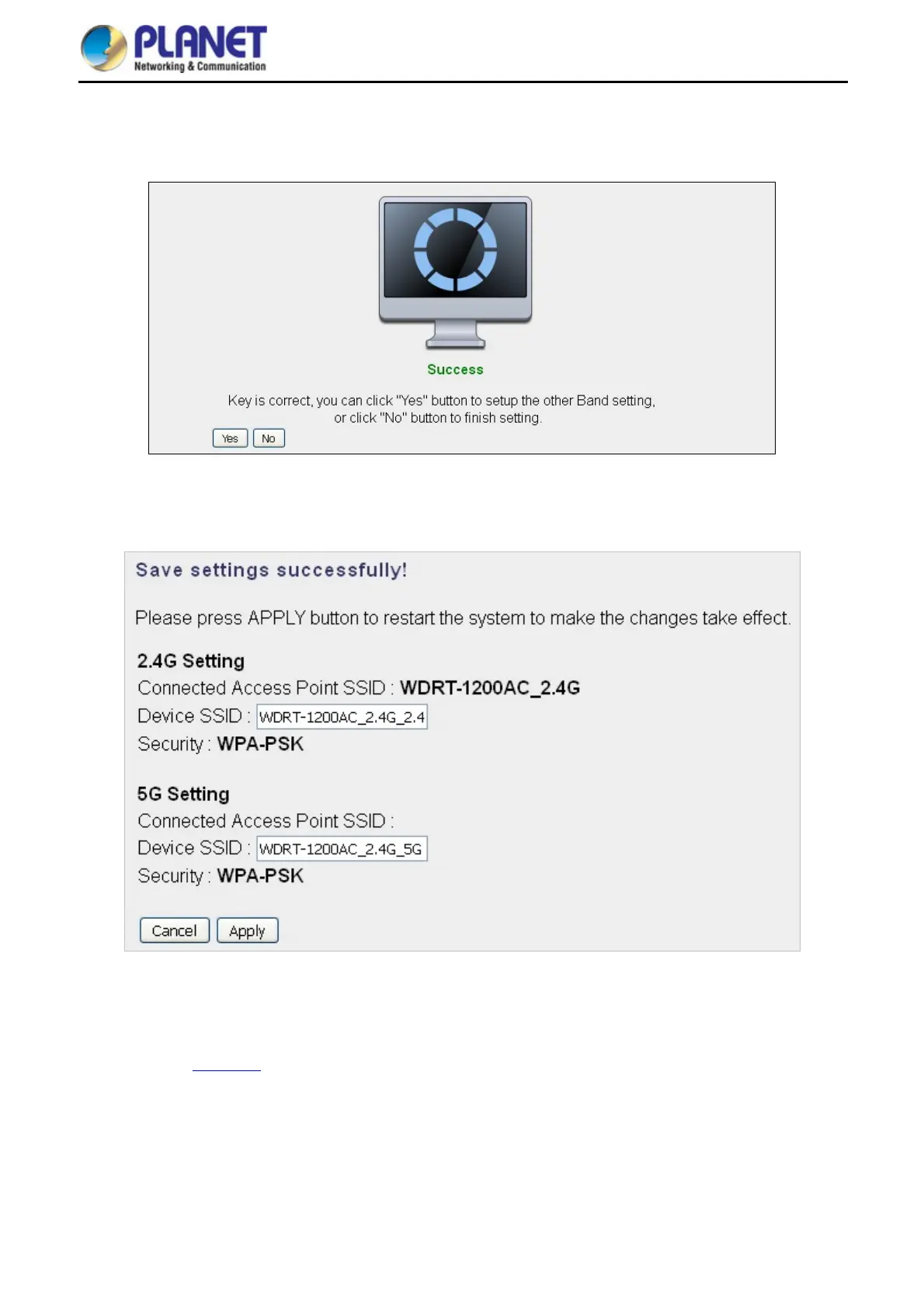
The connection will be established if the key is correct. You can click “Yes” to set up the other band or click “No”
to finish the setting.
Figure 5-15 Connection successful
You can enter the SSID which you want and press “Apply” to make the changes take effect.
Figure 5-16 Saving settings
The connection is established successfully. You can press “Home” to enter Web UI of the WRE-1200.
You can refer to Chapter 6
for more information about the web settings.



 To Next Page