User Manual of WRE-1200
55
6.3.9 MAC Filter
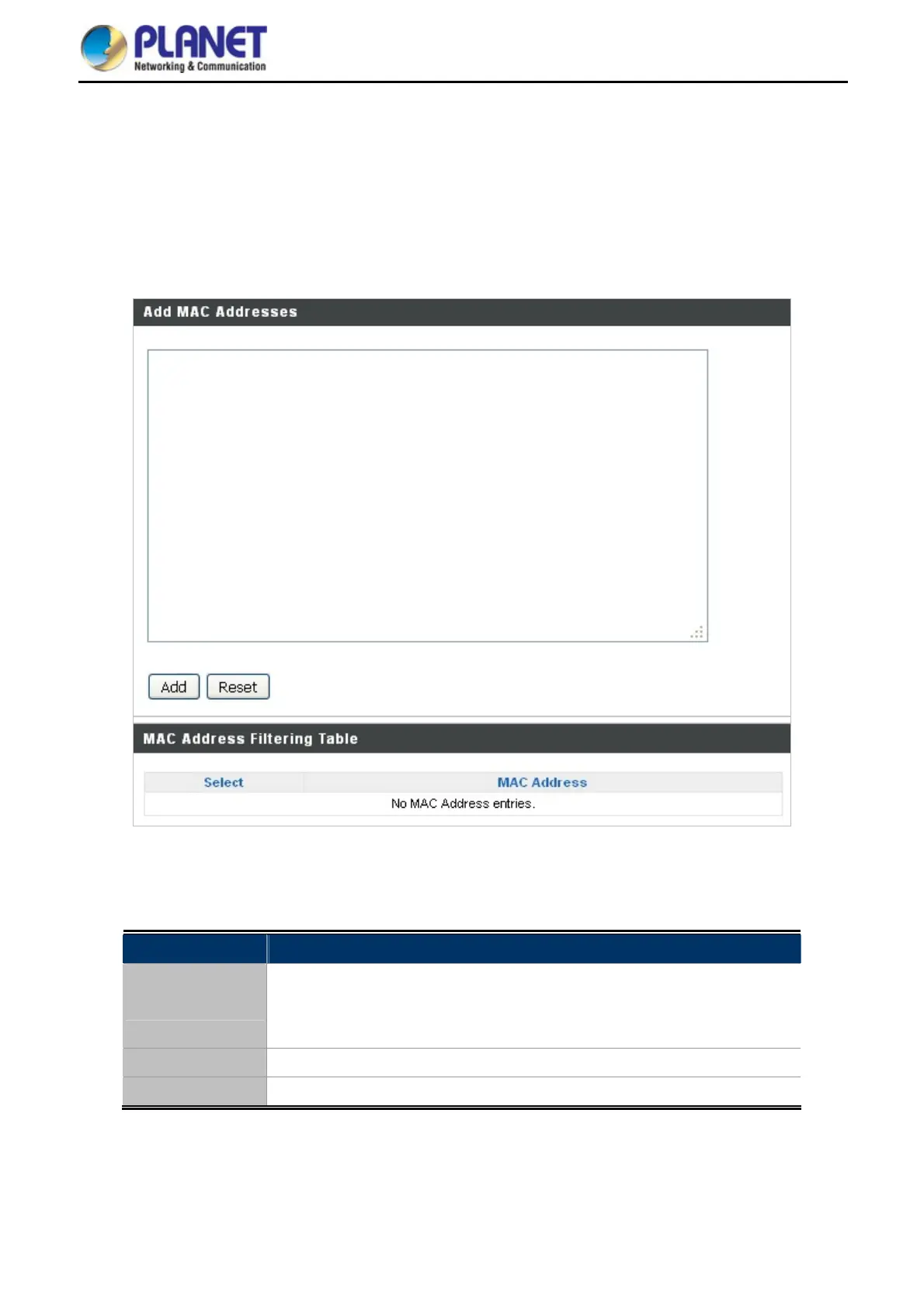
Mac filtering is a security feature that can help to prevent unauthorized users from connecting to your range
extender.
This function allows you to define a list of network devices permitted to connect to the access point. Devices are
each identified by their unique MAC address. If a device which is not on the list of permitted MAC addresses
attempts to connect to the access point, it will be denied.
Figure 6-17 MAC Filter
The page includes the following fields:
Object Description
Add MAC
Address
Enter a MAC Address of computer or network device manually without
dashes or colons, e.g., for MAC Address ‘aa-bb-cc-dd-ee-ff’ enter
‘aabbccddeeff’.
Add Click “Add” to add the MAC Address to the MAC Address filtering table.
Reset Clear all fields.



 To Next Page