11
MUTE
Use this button when you require the preamplifier to mute the output from the preamplifier. Pressing the
button again brings the preamplifier back out of mute.
PHASE
The phase of the input signal to the preamplifier is switched from absolute to inverted 180° with each
press of this button.
STANDBY
Standby shorts the outputs of the preamplifier and disconnects the inputs. It is recommended that
whenever the Plinius M16 is left switched on but not in use, the standby function be implemented.
RECORD
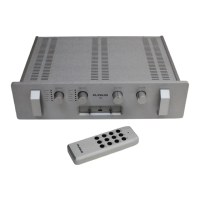
The record button toggles the selected recording source for both tape loop outputs. Use this button to
select the source from which you want to record. The seventh hidden position can also be selected using
this button on the remote control.
SOURCE SELECTION
The six bottom buttons labelled Phono through to Tape 2 are used to make active the source from which
you wish to listen to.


 To Next Page