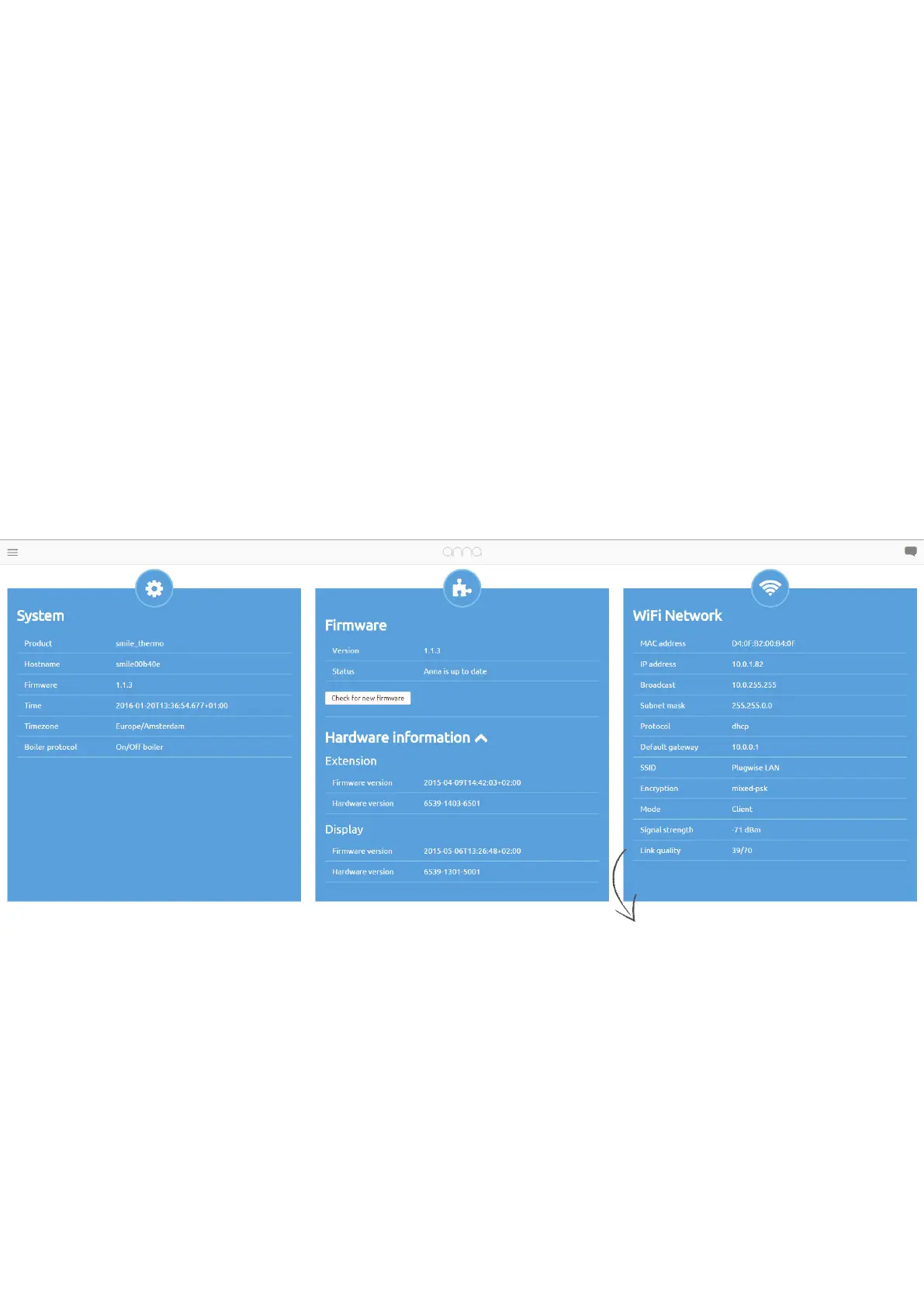
System status.
Via “System status” you can retrieve various types of information
about the system, the rmware, the Smile’s hardware and the
network to which the Smile is connected. This information may be
particularly important when you contact the help desk.
12
w a rmre
upde v 0.12.7
From now on it is also possible to view the strength of your WiFi signal via “System status”.
The signal strength is measured in dBm. The more negative the value, the weaker the signal
is. The closer the value will be to 0, the better the signal of the WiFi network is. You will need
a signal strength of at least -75 dBm.
Is your signal strength to weak? Try to rotate the gateway a little or place it somewhat
further from the boiler in order to strengthen your signal.


 To Next Page