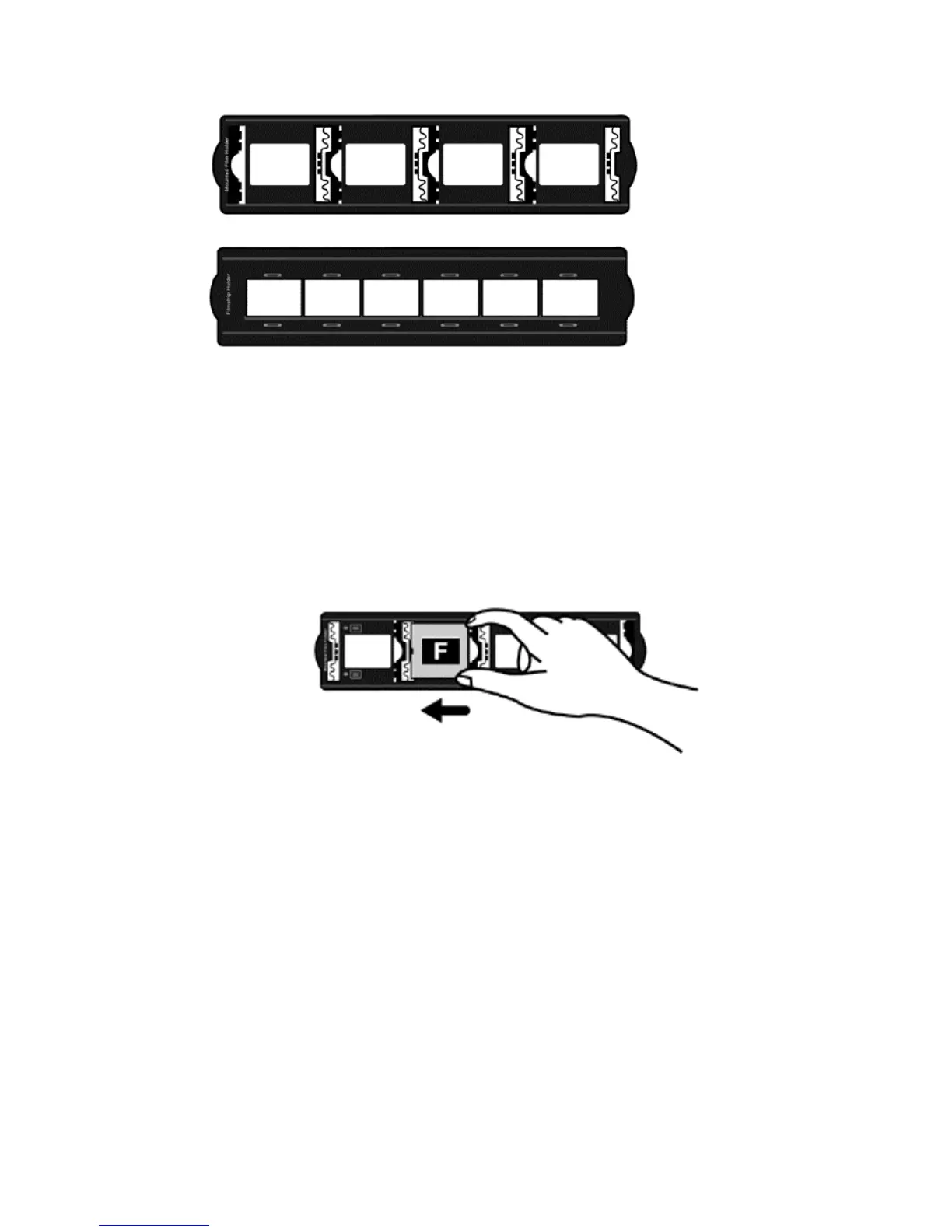
A. For scanning 35mm mounted slides (max. 4 slides)
B. For scanning 35mm filmstrips (max. 6 frames)
U
U
s
s
i
i
n
n
g
g
M
M
o
o
u
u
n
n
t
t
e
e
d
d
S
S
l
l
i
i
d
d
e
e
H
H
o
o
l
l
d
d
e
e
r
r
Insert mounted slides into slots with emulsion (non-glossy) side down.
There are arrows and illustrations on the frame of each slot. Please follow
illustrations to insert mounted slides.
U
U
s
s
i
i
n
n
g
g
f
f
i
i
l
l
m
m
s
s
t
t
r
r
i
i
p
p
h
h
o
o
l
l
d
d
e
e
r
r
Place filmstrip in the film holder with emulsion, non-glossy side down, then snap
the film holder cover closed.
11











 To Next Page