I
I
n
n
s
s
e
e
r
r
t
t
t
t
h
h
e
e
f
f
i
i
l
l
m
m
h
h
o
o
l
l
d
d
e
e
r
r
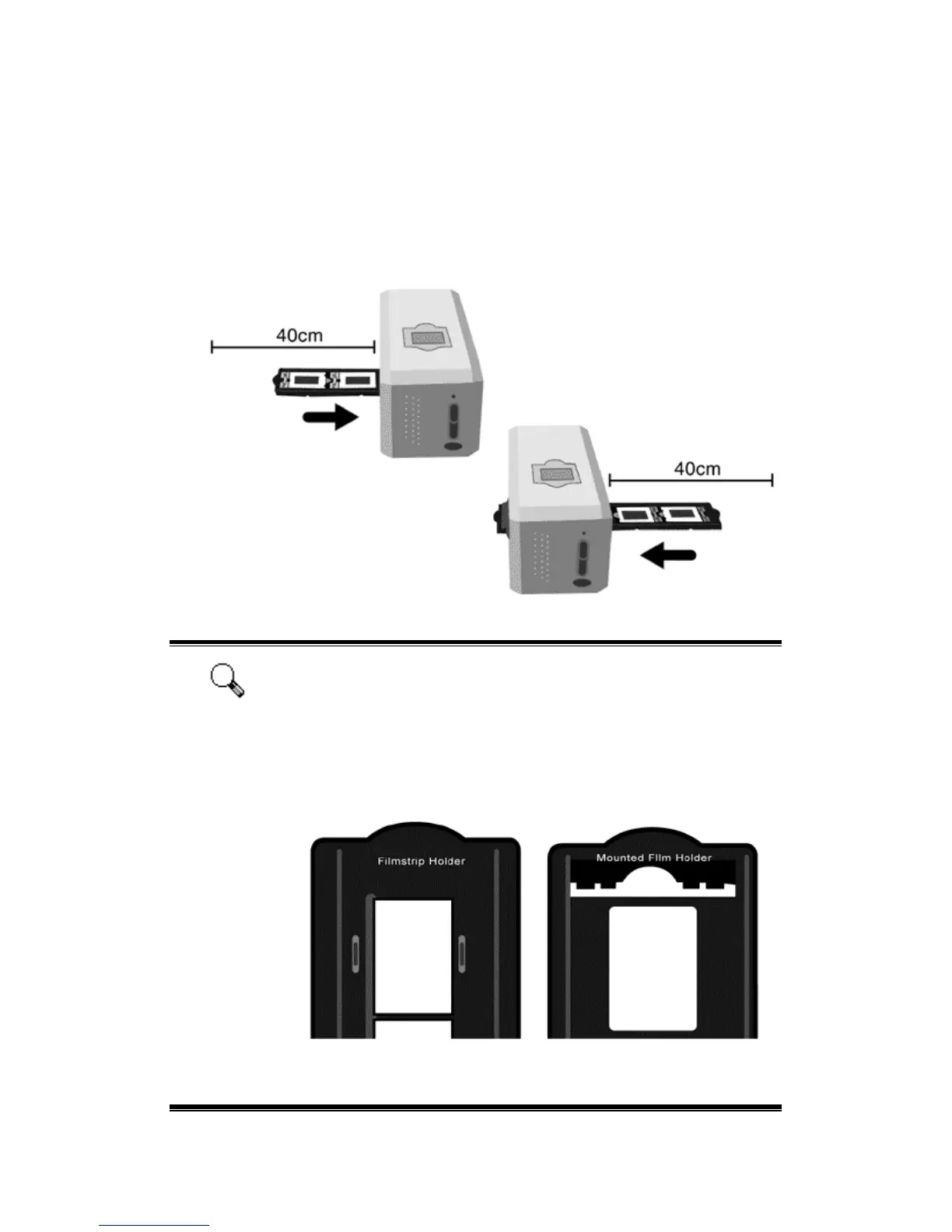
Insert the film holder into the scanner through dust cover. The film holder can be
inserted from either side. The film holder will index at each frame using the notches
on its side rails.
Please allow about 40 cm of space on both sides of the scanner to insert and
remove the film holder.
Attention
You can feel the film holder stop in its index position. However,
efore performing scan, please gently push and pull the film
holder to make sure the film holder is in correct position.
On up side of the film holder you can see ‘Mounted Slide
Holder’ or ‘Filmstrip Holder’. Always keep this side up for
correct scan results.
The film holder should be able to be inserted in to the scanner
smoothly. Do not push the film holder hard.
13











 To Next Page