-16-
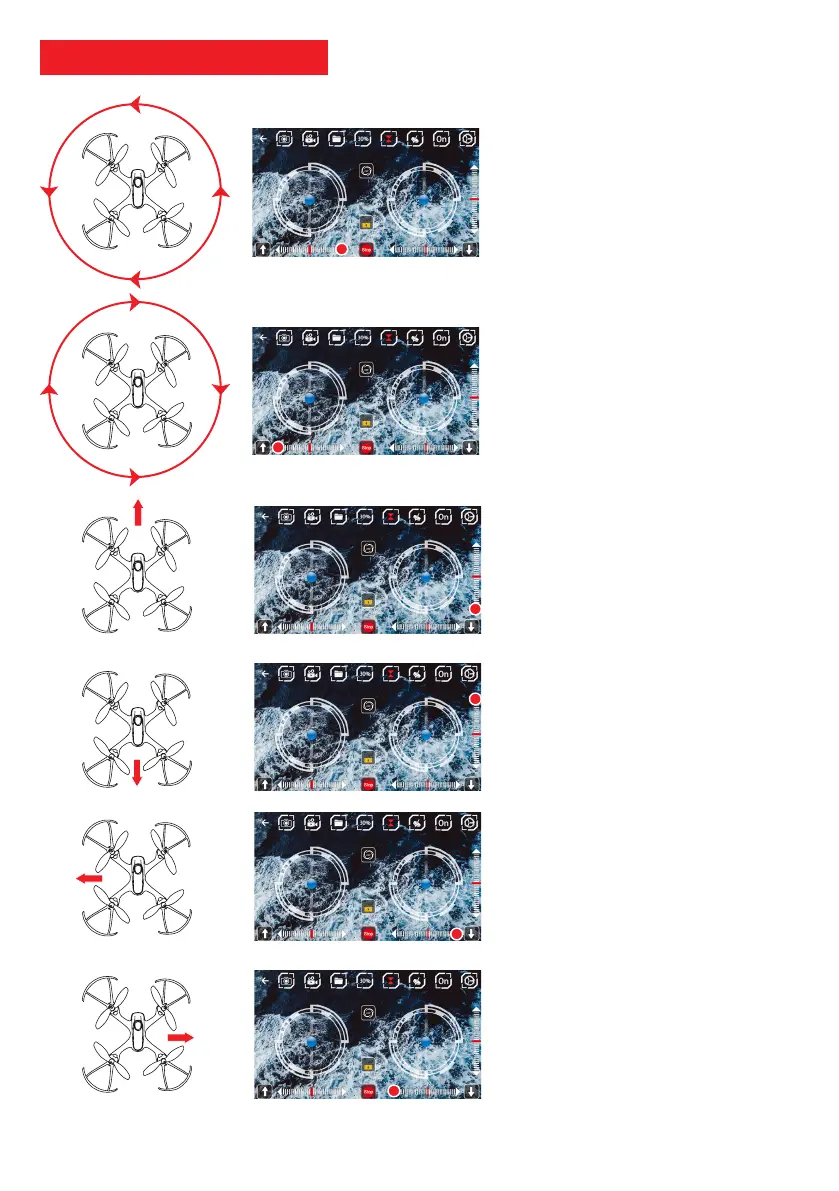
The drone turns on its left:
Press the trim / correction
of rotation right.
The drone turns on itself to the right:
Press the trim / correction
left rotation.
The drone drifts backwards
Press the trim / forward motion
correction to adjust the drone.
The drone drifts forward
Press the trim / backward motion
correction, to adjust the drone.
The drone drifts to the left:
Press the right trim / motion correction
to adjust the drone.
The drone drifts to the right:
Press the trim / left motion correction to
adjust the drone.
App - Flight adjustment



 To Next Page