Applications 34
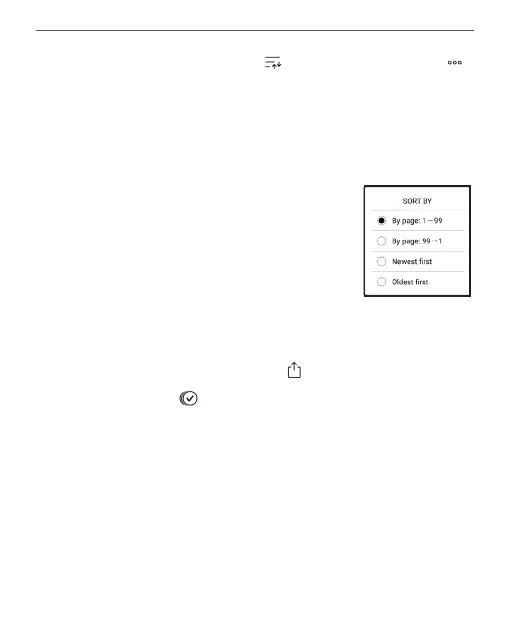
To sort notes, select the icon , or tap on the icon ,
and select Sort by.
In the menu that opens, notes can be sorted by the fol-
lowing categories:
• By page 1 — 99;
• By page 99 — 1;
• Newest first;
• Oldest first.
3. Exporting notes
To export notes, tap on the icon , and select a note. To
select all notes tap , then tap Export notes. You can also
export multiple notes using the long-tap gesture on the
note and select Select multiple... > Select action > Export
notes in the window that opens, specify the path for the
export and tap on Export. By default, exported notes ap-
pear in the Library in the Notes folder.















 To Next Page