EasyManua.ls Logo

Point Mobile PM95 - Install & Remove Battery

Point Mobile PM95
92 pages
Print Icon
To Next Page IconTo Next Page
To Previous Page IconTo Previous Page
Loading...
PM95 Android 13 User Manual
Getting Started
18
© 2024 Point Mobile Co., Ltd. All rights reserved
Install & Remove Battery
Install the battery
Caution: Make sure the cardholders are completely closed before installing the battery.
It may damage the device if you force to install the battery while the cardholders are not closed.
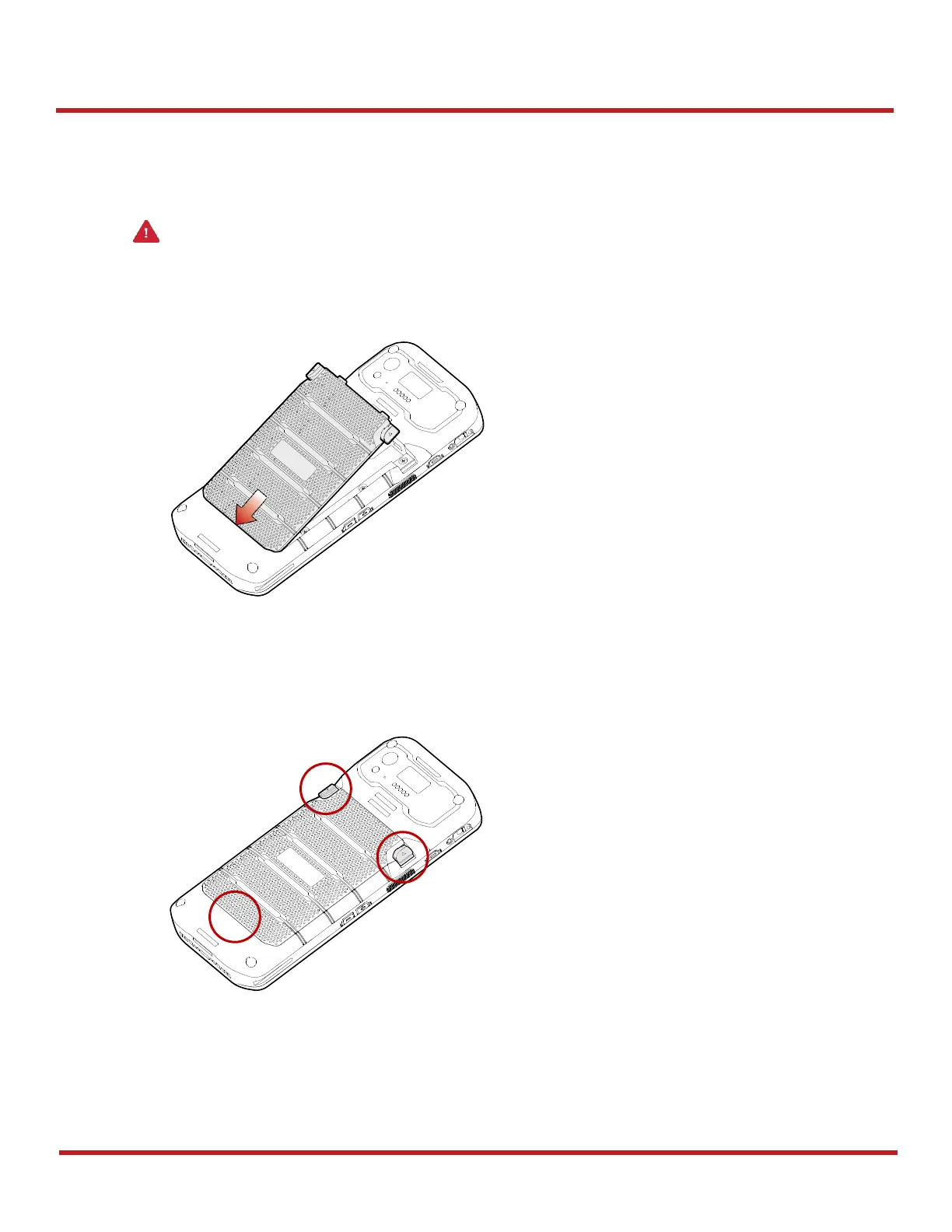
1. Insert the battery from the bottom side.
2. Push the battery down until it clicks.
Confirm that the battery release buttons are completely outward and the bottom side is fully engaged.
Figure 15 Installing battery 1
Figure 16 Installing battery 2

Other manuals for Point Mobile PM95

Related product manuals