EasyManua.ls Logo

Point Mobile PM95 - Device Parts Identification

Point Mobile PM95
92 pages
To Next Page IconTo Next Page
To Previous Page IconTo Previous Page
Loading...
PM95 Android 13 User Manual
6
© 2024 Point Mobile Co., Ltd. All rights reserved
Getting Started
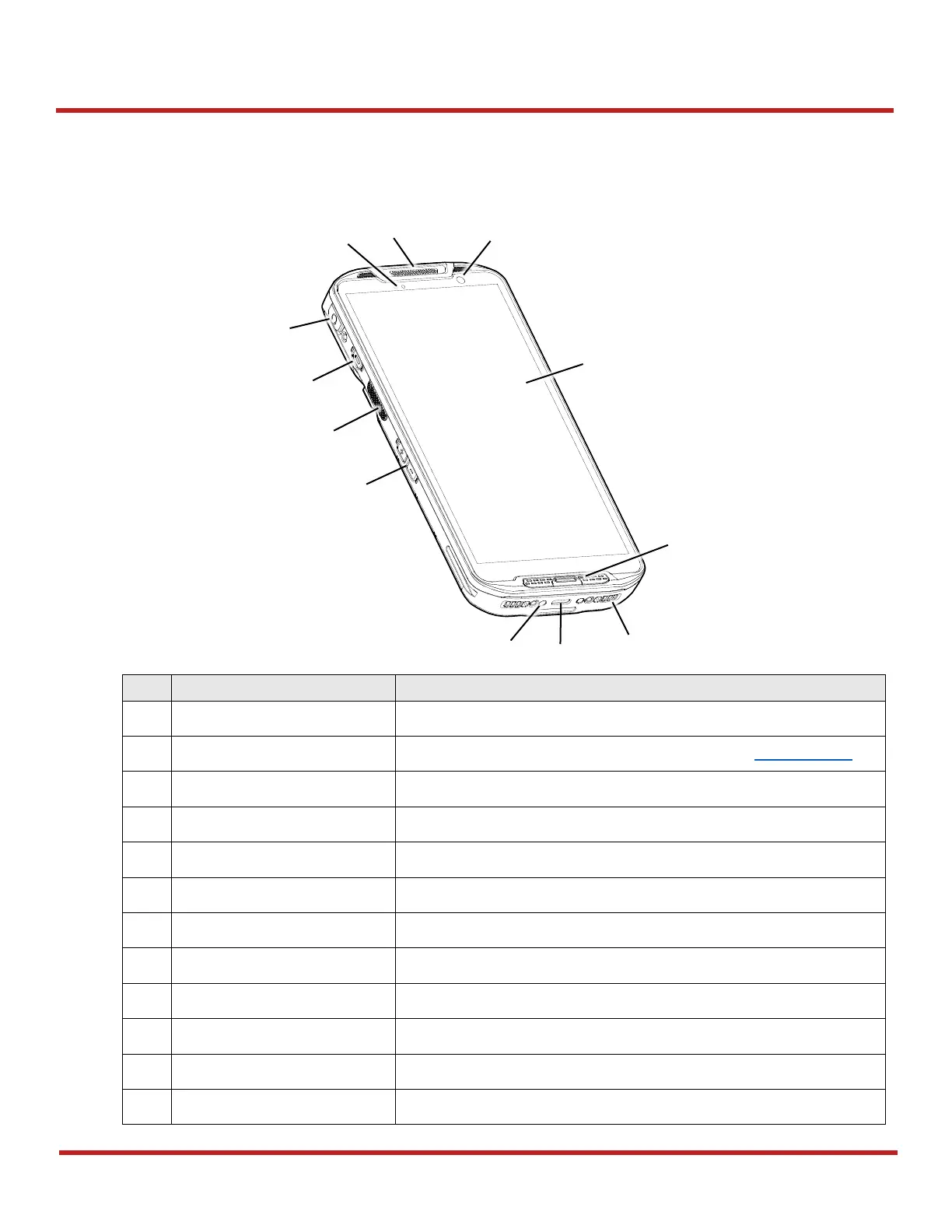
Device Parts
Scanner SKU (SKU1, 2)
No
Name
Description
1
Receiver
Use with making a phone call
2
LED indicator
Indicate the power status and notification. Refer to LED indicator.
3
Audio jack with cap
Connect headset and the jack is protected by the cap
4
Power button
Turn on/off the device
5
Scan button (Left)
Scan a barcode by pressing (Programmable button)
6
Volume buttons
Control the volume (Programmable button)
7
I/O connector for cradle
Connector for charging and communication with cradle
8
USB connector
USB Type C connector for charging and data communication
9
Speaker
Ring system sound
10
Microphone
Use for collecting sound
11
Touch screen
Displays all operating screen
12
Front camera
Take a picture
Figure 1 PM95 Scanner SKU: front + left view

6
8
2
12
11
10
3
7
1
4
5
9

Other manuals for Point Mobile PM95

Related product manuals