PM95 Android 13 User Manual
51
© 2024 Point Mobile Co., Ltd. All rights reserved
Using the Buttons
Screenshot
To take a screenshot, use one of the two ways as below.
Press and hold
Power button + Volume down button
simultaneously.
Press and hold the power button, and then tap
Screenshot
among the power menus.
The screenshot image will be saved to
Pictures > Screenshots
folder in the internal storage.
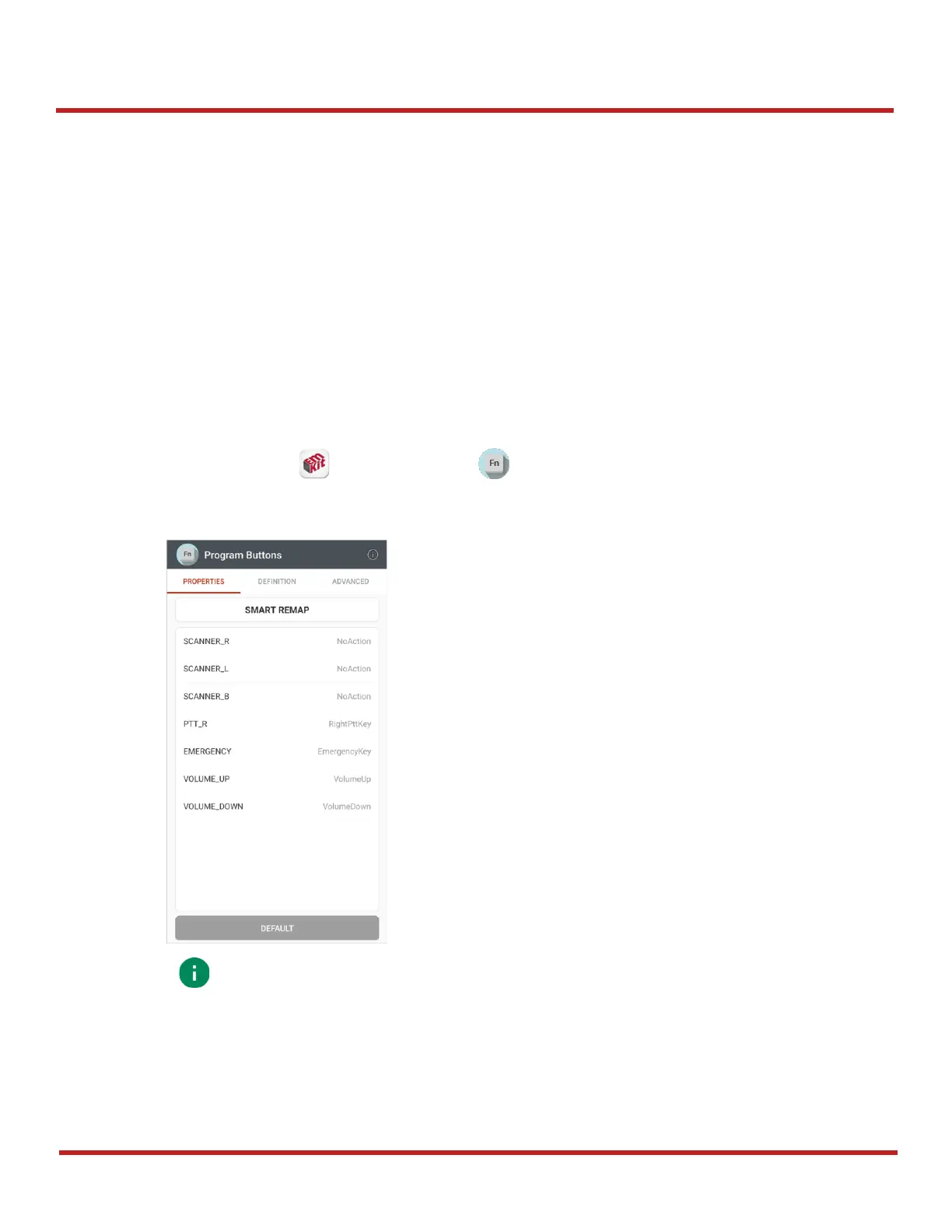
Program Buttons
Most buttons on the PM95 except power button can be optimized as you want. To map the button to other
functions from default,
1. Navigate to
EmKit
>
Program Buttons
2. Tap
SMART REMAP
. And press a button you want to remap.



 To Next Page