EasyManua.ls Logo

Point Mobile PM95 - Font and Display Size Adjustment

Point Mobile PM95
92 pages
Print Icon
To Next Page IconTo Next Page
To Previous Page IconTo Previous Page
Loading...
PM95 Android 13 User Manual
Learning the Basics
49
© 2024 Point Mobile Co., Ltd. All rights reserved
Settings
There are two ways to go to
Settings
:
Open the App drawer and tap
Settings
Open the Quick setting panel and tap gear icon
Adjust display brightness
To adjust the display brightness level,
Open Quick setting panel and adjust display brightness bar
Go to
Settings
>
Display
>
Brightness level
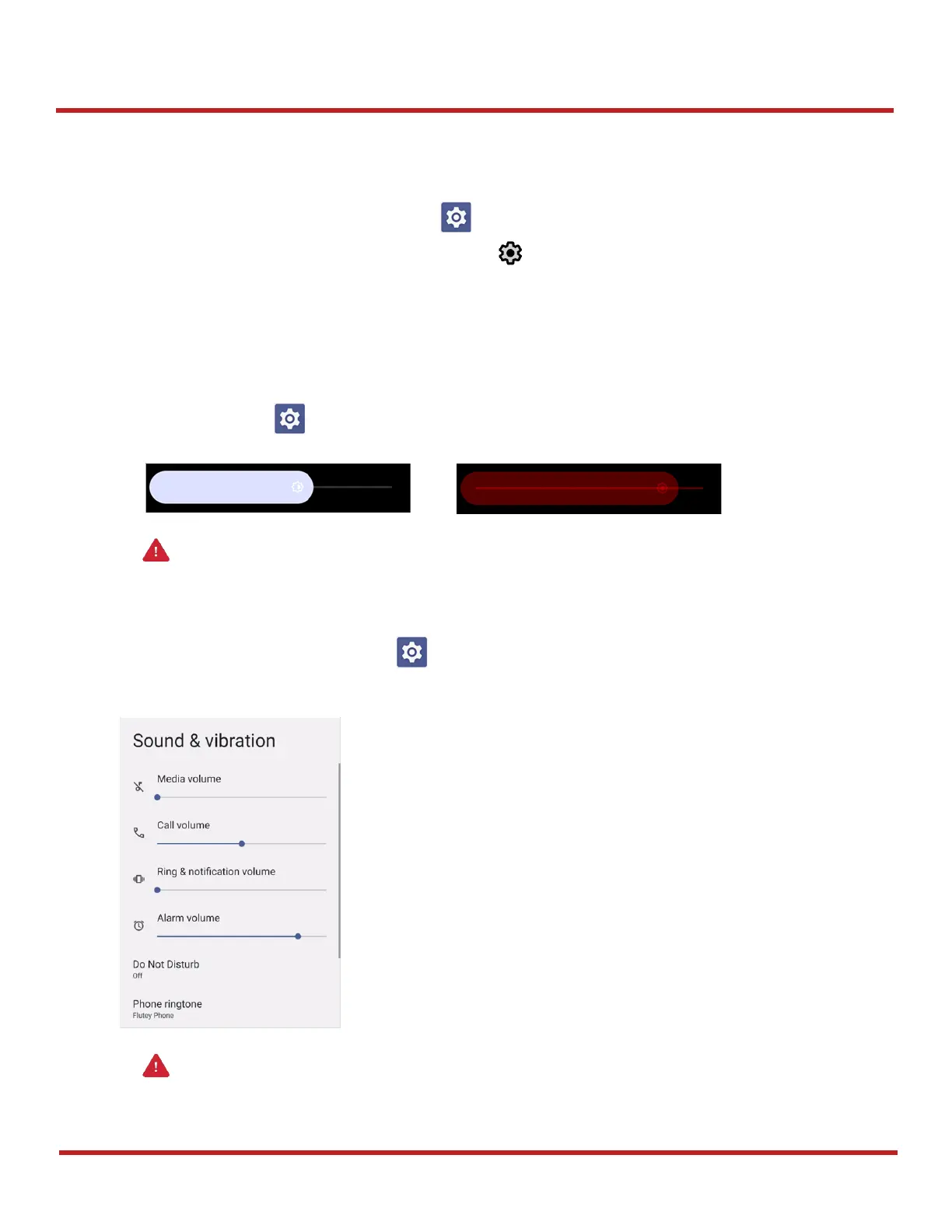
Adjust sound
To adjust sound volume, go to
Settings
>
Sound & vibration
and control the Media, Call, Ring &
notification, Alarm volume bars.

Caution: Using high brightness levels for long periods may cause eye strain and increase battery
consumption.
Caution: Using high volume levels for long periods may cause ear strain and increase battery
consumption.
Figure 53 High brightness level (higher than 80%)
Figure 52 Normal brightness level
Figure 54 Volume bars

Other manuals for Point Mobile PM95

Related product manuals