41
CHARGING OPERATION
Afterinstallingthebatterypack,ifthebatteryiconshowsCJ,itmeansthatthe
batterypackisoutofpower,Pleasechargeit
1) Using Power Adapter
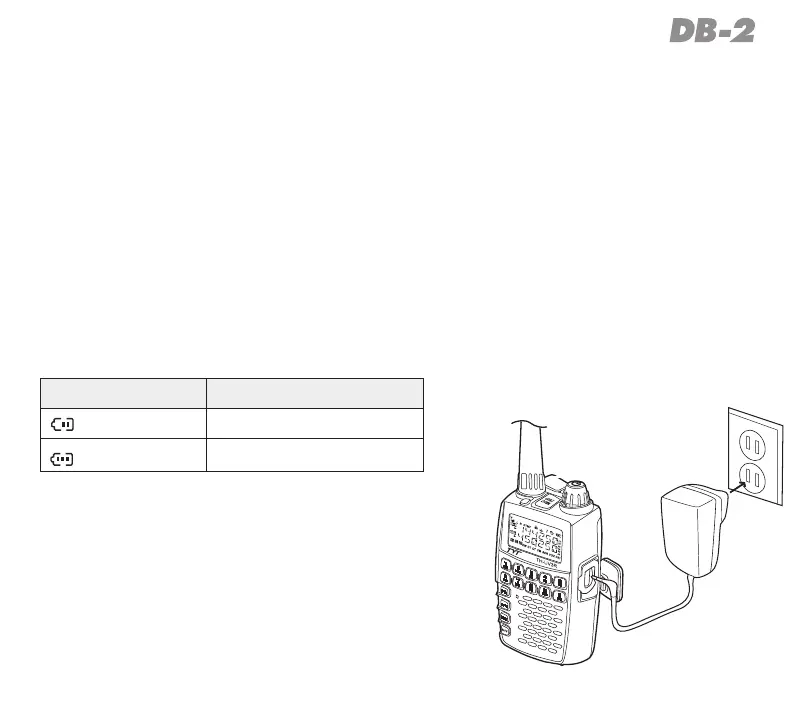
IfyouforgetthechargerandonlyhavePowerAdapter,youcanusePowerAdapter
tochargetheDB-2directly,asshownintheillustrationtoEXTDCjack.
2) Using Program Cable (Optional)
Withtheoptionalprogramcableitispossibletochargethebatteryradiothrough
aPC.Thechargingsituationisdisplayedonbatterycapacityindicatoricononthe
radio.Indicatorlightofchargerwillshowchargingcondition.
Icona State
blinking
Charging
full
Completed



 To Next Page