48
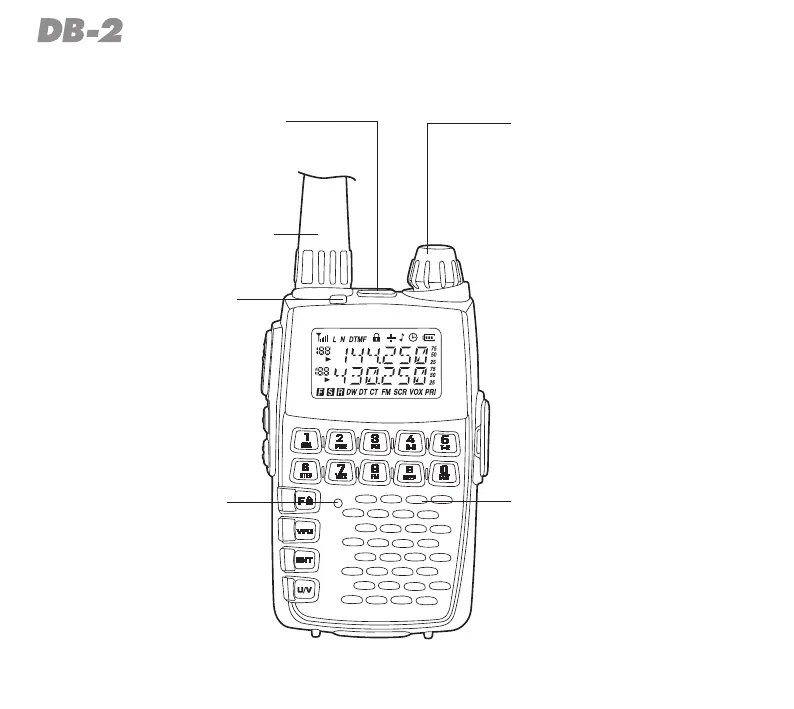
RADIO ILLUSTRATION
MIC/SP
Thisjackprovidesconnection
pointsformicrophone,earphone.
POWER/DIAL
Pressandholdfor3secondsto
turnonandoffthetransceiver,
alsousedforsettingfrequency,
menuselectionsandvolume
adjustment.
ANTENNA
Connectthesuppliedantenna
here.
BUSY/TX
Theinternalturnsgreen
duringreceiveandturns
redduringtransmit.
MIC
Ilmicrofono
incorporatoè
postoinquesta
area.
SPEAKER
Theinternalspeakerislocated
here.



 To Next Page