26
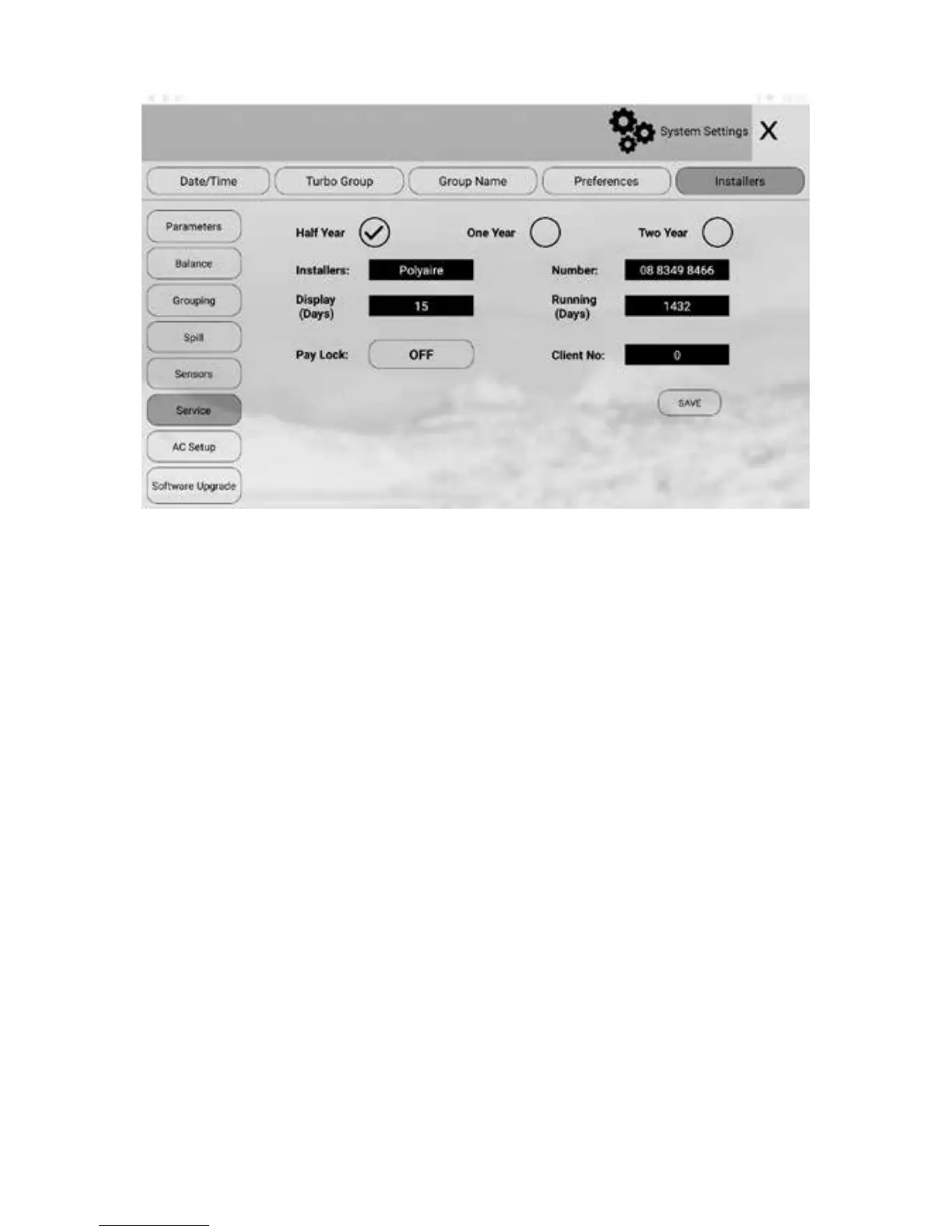
a) In the ‘Installer’ settings screen, touch Service to enter the ‘Service’ screen.
b) Touch the service reminder option buttons to enable or disable the relevant
reminders.
c) Touch the edit eld to change to the desired setting. The installer name
and number can be entered by using a keyboard. Make sure to touch Enter
to conrm the input. Touch the number and change Display and Running
days via keyboard input.
d) Touch Save button to save.
Maximum length of the name is 10 characters and the phone number is 12 digits.
Reminder information will be displayed on the screen when the service is due for
the length of display days (5 days in the example). Touch the “x” button on the top
right corner of the message box will clear the alert but the message box will come
back when the screen wakes up from sleep next time.
To not show the message box before the set display days, tick the Don’t Show
Again box before closing the message box.
Enabling/Disabling Service Reminder contd.


 To Next Page