29
5.9.4 Congure AC Fan Speed Options
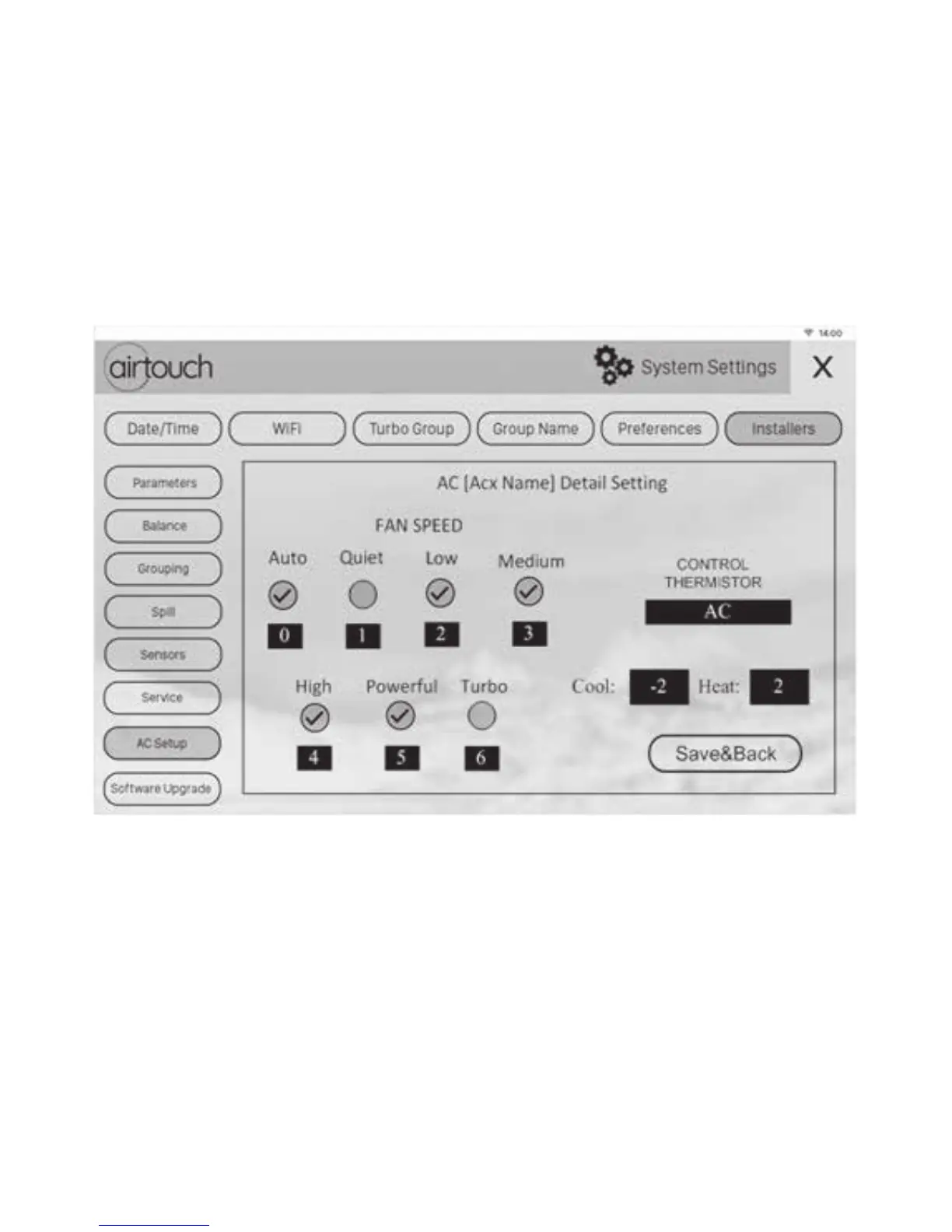
AirTouch 4 can automatically recognise the total fan speed options from the
indoor unit in most cases. In rare cases, the installer may need to manually set the
fan speed options to match the actual fan speed options of the AC unit. First tick
the fan speed names and then change the fan speed matching number. As in the
image below, the Low fan speed number may be changed to 1, Medium to 2, High
to 3 and Powerful to 4.
Touch Save & Back to save.
5.9.5 Control Temperature Oset
The measured temperature from the selected control thermistor can be oset to
suit the situation. It’s up to the installer to choose the value.
Setting up AC Control contd.


 To Next Page