5
Now that you’re set up, it’s time to have a look at what the phone can do.
GETTING TO KNOW YOUR PHONE.
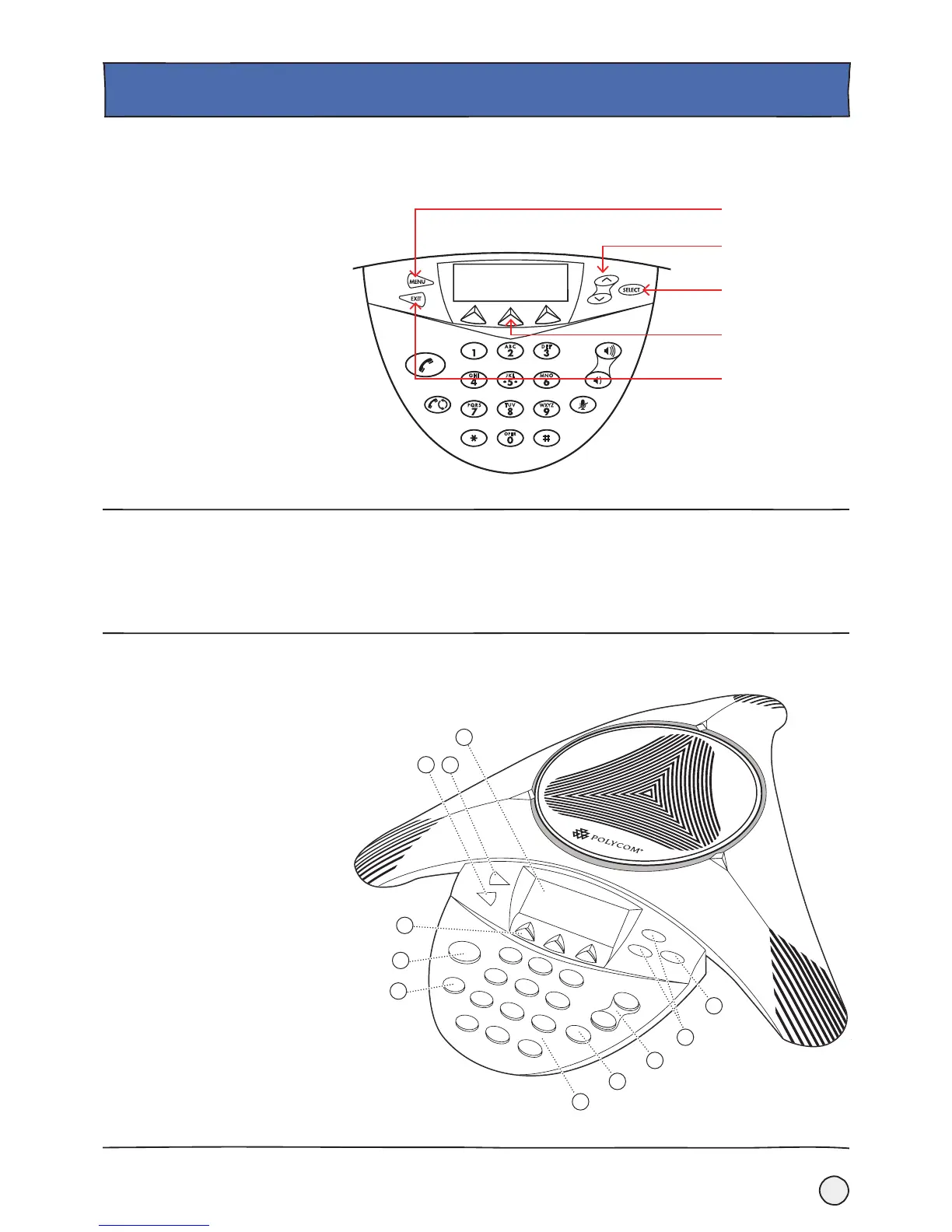
Select Key
Menu Key
Navigation Key
Exit Key
Soft Keys
The three buttons below the LCD screen are called the Soft Keys and their function
changes depending on what you are doing with the phone. All you need to do is
check the screen directly above each button to see your options.
See following page for description of key functions.
Soft Keys.
Key Functionality.













 To Next Page