Administrator’s Guide for the VSX Series
Index–14
serial port, See also RS-232 serial port
serial V.35/RS-449/RS-530 network interface
call speed 3-24
calling profile 3-24
configuring 3-24, 3-25, 3-26
configuring signal polarity 3-25
connecting 2-12, 2-14
crypto resync pulse 3-26
enabling 3-29
hardware requirements 2-14
lights 7-32
servers
DNS 3-5
streaming 4-57
WINS 3-5
setup wizard 3-3
sharing content
by connecting a computer to a VSX system
2-31
configuring audio 4-17
configuring display 4-16, 4-17
enabling H.239 3-28
specifying when to display 4-16
using a VCR/DVD 2-28
using ImageShare II 2-31
using People+Content IP 4-14
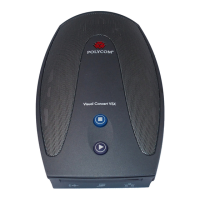
using Visual Concert VSX 2-29
Sharpness (setting) 4-3, 4-4
Show My Offline Contacts (setting) 3-14
signal polarity
CTS 3-25
DCD 3-25
DSR 3-25
DTR
3-25
RT 3-25
RTS 3-25
ST 3-25
signal status, serial V.35/RS-449/RS-530 7-5
SIP
configuring 3-12
enabling 3-28
password 3-12
proxy server 3-12
registrar server 3-12
restrictions 3-13
transport protocol 3-12
user name 3-12
SIP Settings (screen) 3-12
site buttons, adding 4-50
Sites (screen) 4-50
Sites (setting) 4-49
siting considerations 2-9, 2-20
Snap Button Option (setting) 4-55
Snapshot Timeout (setting) 4-9
SNMP
access, controlling 4-36
conditions reported 5-10
configuring 5-11
downloading and installing MIB 5-10
SNMP (screen) 5-10, 5-11
Softupdate 3-34
software registration key
People+Content IP 4-15
software, updating 3-34
Sound Effects Volume (setting) 4-20
SoundStation VTX 1000
microphone coverage pattern 2-19
monaural operation 2-19
positioning
2-20
positioning extension microphones 2-25
positioning for stereo 2-25
software required 2-24
stereo operation 2-19, 2-25
telephone number 3-27
troubleshooting 7-28
valid hardware configurations 2-24
Speaker Test (screen) 4-26, 7-6
speakerphone, See SoundStation VTX 1000
speakers
configuring 4-24
desktop, for VSX 3000 2-26
positioning for stereo 2-27, 2-28
required for StereoSurround 2-27
subwoofer 4-24
systems that include 2-26
systems that require 2-26
testing 7-6
troubleshooting 7-23, 7-26
Specify with PIN (gatekeeper setting) 3-7
Speed (setting) 3-24, 4-56
speed dial 4-49, 4-50
SPIDs
automatic configuration 3-20
entering manually 3-20
split-screen, See dual monitor emulation
ST signal polarity 3-25
stabilizer feet, installing 2-10
statistics
call 6-2, 7-3
content
6-3, 7-4




 To Next Page