Index
Index–17
Video Port (setting) 4-57
video protocol (call statistics) 6-2
Video Protocol (setting), for broadcasting 3-26
Video Quality (screen) 4-3, 4-4
Visual Concert VGA Out (setting) 4-10
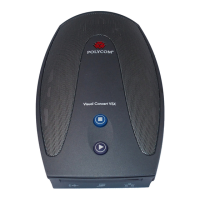
Visual Concert VSX
as a LAN hub 2-29
configuring 4-16, 4-17
supported cable configurations 2-30
valid hardware configurations 2-24, 2-29, 2-31
VGA resolution 2-29
Visual Concert VSX cable, See conference link
cable
voice algorithm for ISDN 3-20, 3-22
voice tracking, See automatic camera tracking
voice-activated switching mode (multipoint
display) 4-41
voice-mail menu navigation, See Remote Control
Keypad (setting)
voice-only calls, enabling 3-29
volume
adjusting 7-25
alert tones 7-25
audio line in 4-22
bass 4-24
for recording calls 4-21, 4-23, 4-24
master control 4-24
sound effects 4-20, 7-25
subwoofer 4-24
treble 4-24
troubleshooting 7-25
VCR/DVD playback
4-21, 4-22, 4-23
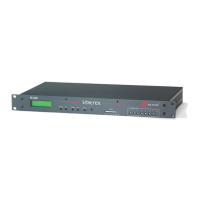
Vortex mixer
configuring 4-27, 4-29
not compatible with echo cancellation 4-22
software requirements 2-26
VPN, configuring 3-17
VSX component systems 1-1
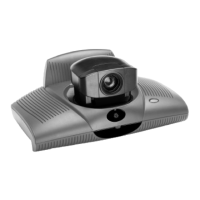
VSX desktop systems 1-1
VSX set-top systems 1-1
VSX to VTX cable (lengths and part numbers)
2-31
VSX Web
accessing 5-2
accessing diagnostic screens 7-2
accessing in Security Mode 4-37
Call Detail Report, downloading 6-4
configuring browser 5-1
managing directories 5-5
managing system profiles 5-4
providing closed captions 4-61
restrictions 3-3, 5-2
room monitoring 4-36, 5-2
sending messages to call participants 7-1
VTX Telephone Number (setting) 3-27
W
Web Access Port (setting) 4-36
web access, controlling 4-36
web browser requirements 3-3
web browser, configuring to use VSX Web 5-1
Web Director 4-36, 5-3
See also room monitoring
web streaming
configuring 4-56
restrictions
4-56
starting and stopping 4-57
troubleshooting 7-16
viewing 4-57
wide-screen monitors, configuring 4-7, 4-8, 4-9
WINS Resolution (setting) 3-5
WINS Server (setting) 3-5
Z
Zoom Video to Fit Screen (setting) 4-9




 To Next Page