R38-300 Series v2.2 TelNet OfficeEdge Complete Reference Guide | 6 |
Directed Call Pickup
Intercept or pick up a call coming in on another
phone in your call pickup group.
1) Press More, then Pickup.
2) Dial the extension of the phone that is ringing and then
press Enter.
OR, you may
1) Lift handset. Press 97, press Send
2) Enter the extension of the phone that is ringing and then
press the # key. The call will be redirected to your
extension and you will be connected to the call.
Speed Dial 8 (1-digit codes)
Set up and update 1-digit speed dial codes for frequently
dialed numbers; directory is active on both your phone
and Personal Assistant Toolbar for fast, easy dialing.
To set up/update Speed Dial 8 (1-digit codes)
From your phone
1) Dial
74 and listen for tone.
2) Enter the 1-digit code plus the 10-digit phone number you
would like assigned followed by #. (Recorded message
confirms code was programmed.)
From your Personal Assistant Toolbar
1) Click Portal Auto-Login button on toolbar.
2) Select Outgoing Calls, then Speed Dial 8.
3) Enter the 10-digit phone number next to the code you
would like assigned. (Optional – add description.)
4) Click Apply.
To place call using Speed Dial 8
From your phone
1) Press the 1-digit speed dial code, then press Dial or Send.
From Personal Assistant Toolbar
1) Click on Speed Dial Directory icon.
2) Click on the number you wish to dial.
Speed Dial 100 (If Enabled)
Set up and update 2-digit speed dial codes for frequently
dialed numbers; active on both your phone and Personal
Assistant Toolbar for fast, easy dialing.
To set up/update Speed Dial 100 (2-digit codes)
From your phone
1) Dial 75, press # and listen for tone.
2) Enter the 2-digit code plus the 10-digit phone number you
would like assigned followed by #. (Recorded message
confirms code was programmed.)
From Personal Assistant Toolbar
1) Click Portal Auto-Login button on toolbar.
2) Select Outgoing Calls, then Speed Dial 100.
3) Click Add, then select 2-digit code from pull-down list.
4) Enter Description (optional) and 10-digit phone number
you would like assigned.
5) Click OK.
To place call using Speed Dial 100
From your phone
1) Press # plus the 2-digit speed dial code, then press Dial.
From Personal Assistant Toolbar
1) Click on Speed Dial Directory icon.
2) Click on the number you wish to dial.
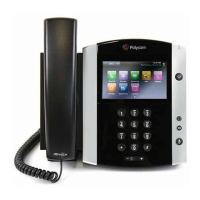
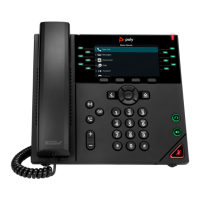
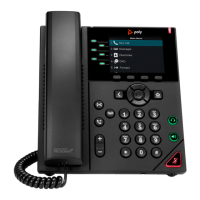
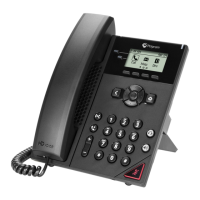
Quick Dial Guide






 To Next Page