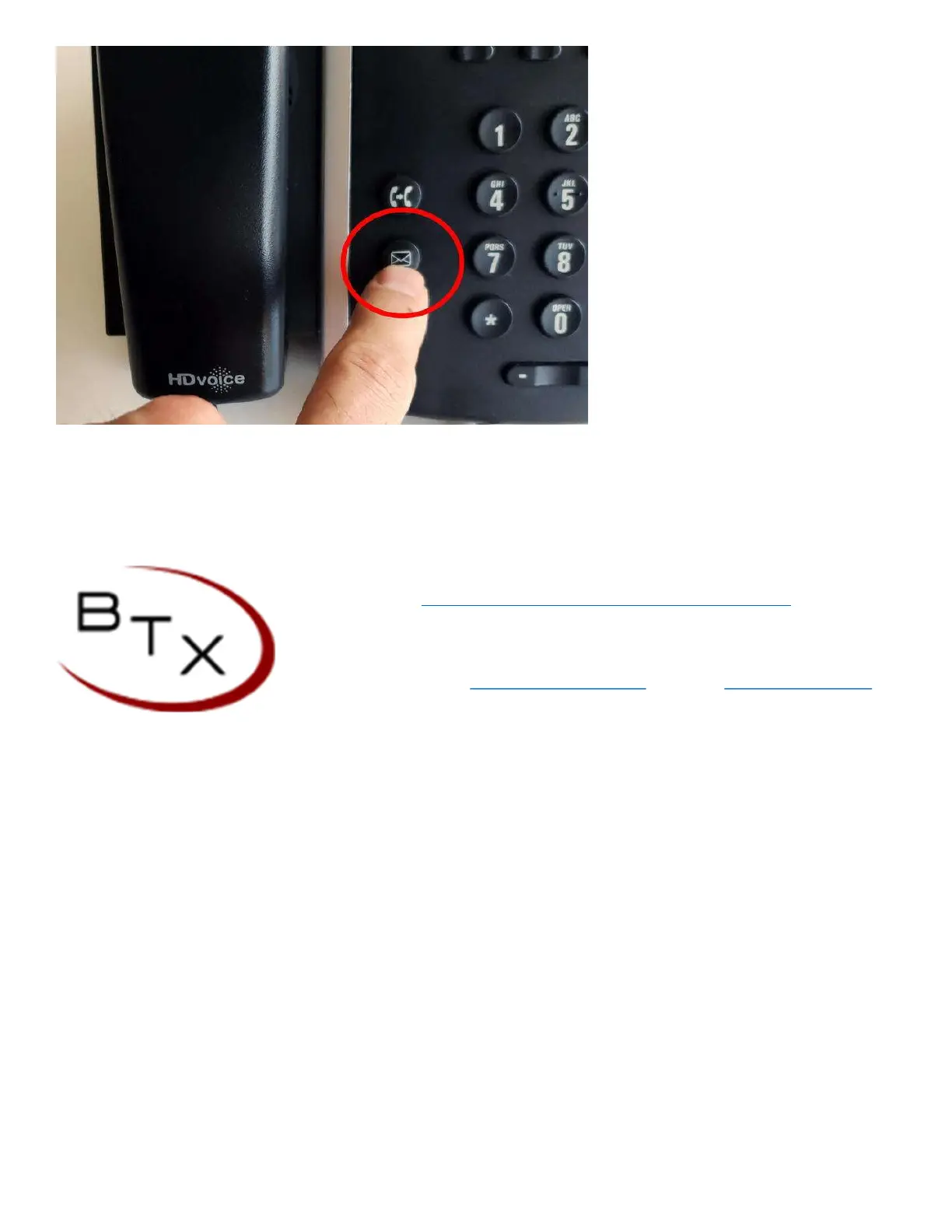
1. press the envelop button located on the bottom left corner of the phone.
Once you are in your personal voicemail you will need to know your personalized password. if this is unavailable please
reach out to our support team and we will assist you.
visit https://www.btxchange.com/btx-cloud-support.html
BTX | Business Telephone Exchange
929 Berryessa Rd Suite#10 San Jose, CA 95133
Phone (408) 200-
7810 Email support@btxchange.com | Website www.btxchange.com
IP/PBX | SUPPORT | SERVICE | SOLUTIONS


 To Previous Page