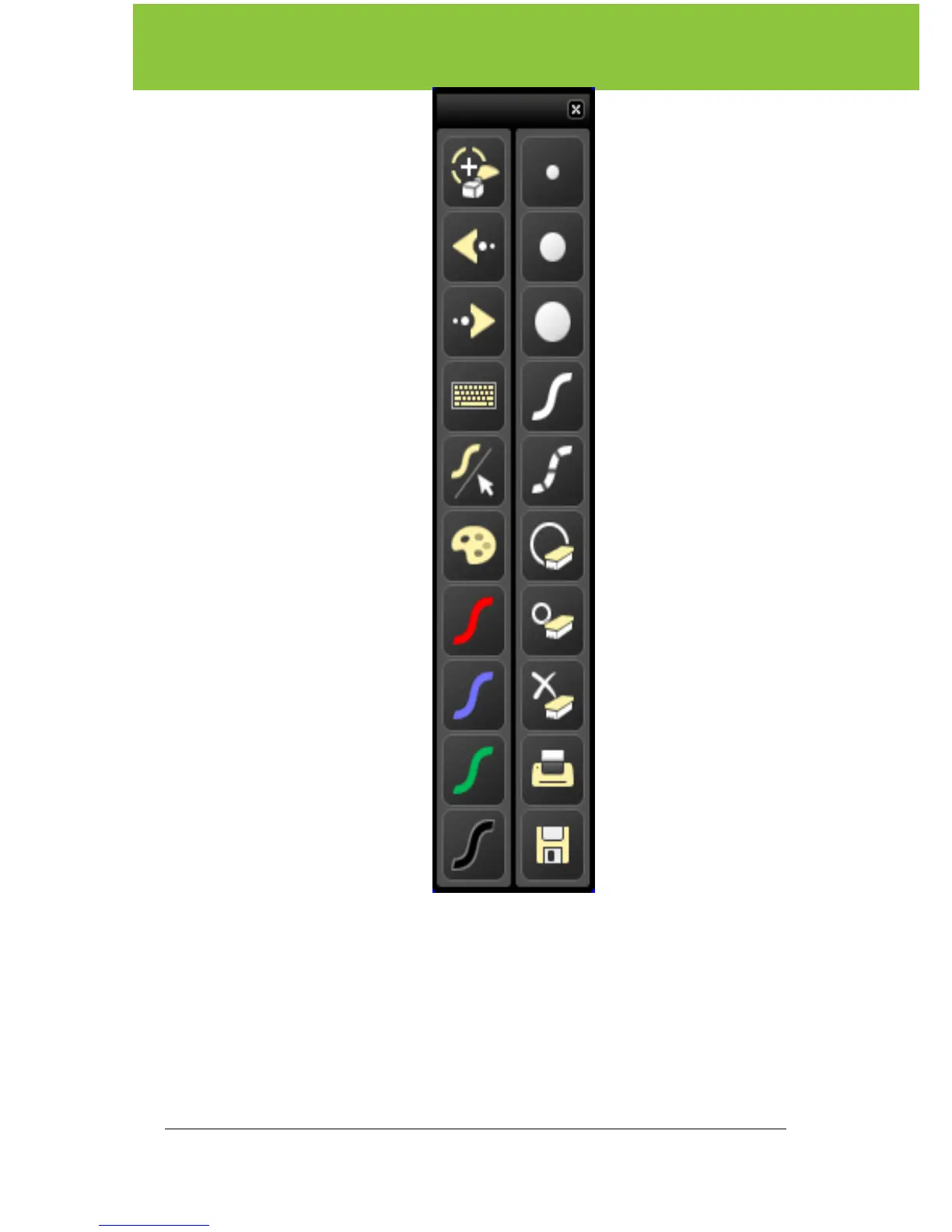
Using your ēno whiteboard
12 Installation and Operation Guide
Purpose Control icon Purpose
Toggles “projection mode”
on / off. The first use starts
the onscreen alignment
(calibration) process.
Sets the stylus to narrow
width.
Goes to the previous
PowerPoint slide or PgUp.
Sets the stylus to
medium width.
Goes to the next
PowerPoint slide or PgDn.
Sets the stylus to wide
width.
Displays the on-screen
keyboard.
Sets the stylus to a solid
line.
Toggles between writing
and cursor control.
Sets the stylus to a
dashed line.
Displays all size and
color options.
Narrow eraser width
using the stylus.
Large eraser width using
the stylus.
Clears all the writing.
Prints a copy of the
whiteboard.
The current color for
writing on the board.
Saves a copy of the
whiteboard contents into
the MyDocuments folder
(or where configured) as
a new image.



 To Next Page