Service training
000
04052000
5.1
Testing instructions
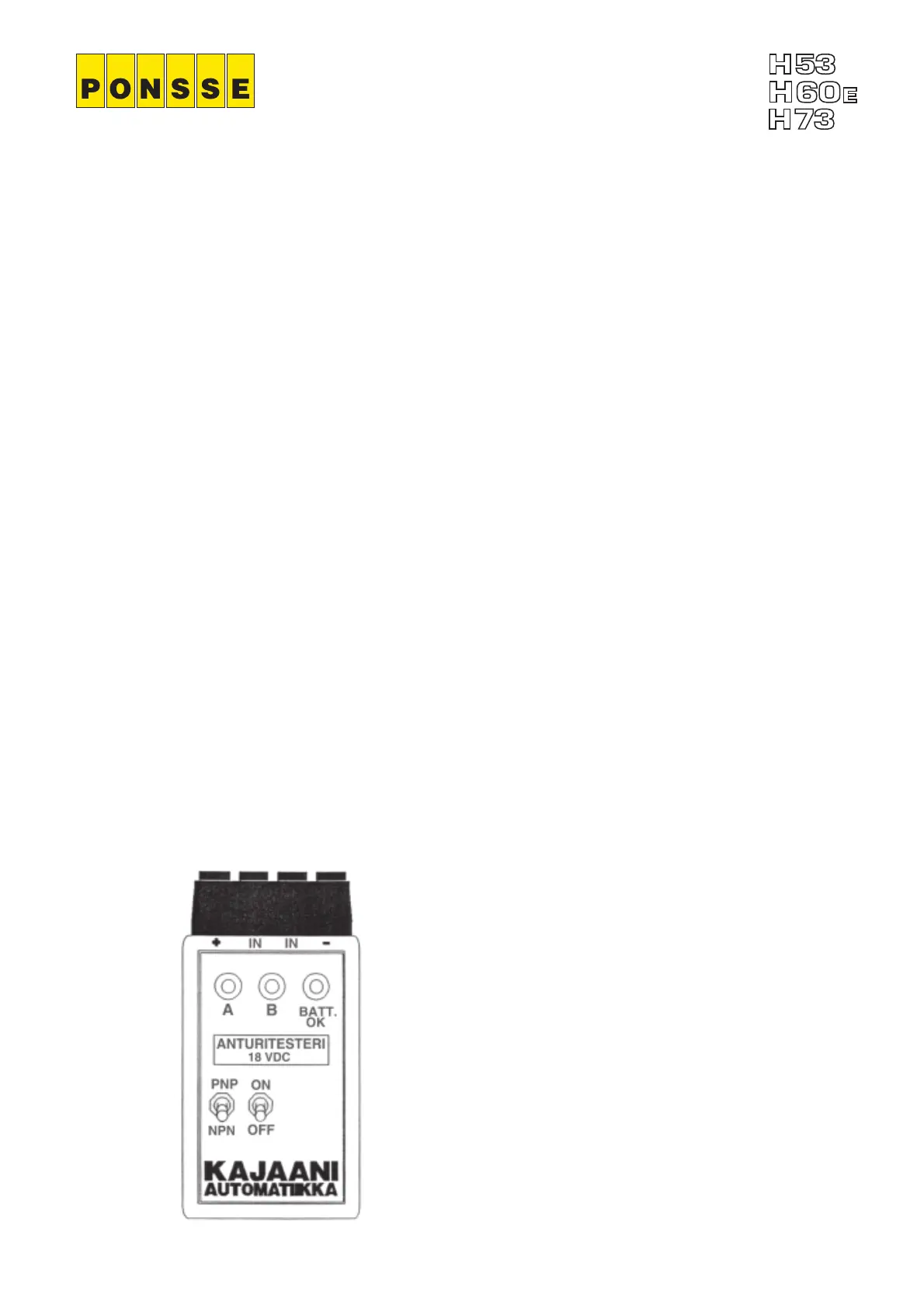
Pulse sensor testing
1. Turn on the power by turning the switch to the ON position.
2. Switch the NPN/PNP switch to the correct position, depending on which type of
inductive sensor you are going to test. In the new harvester heads all inductive
sensors are NPN type. In the older harvester heads the saw sensor is PNP type if
the saw sensors diameter is 8 mm.
3. Connect the conductors as follows:
- Brown conductor to +
- Blue conductor to -
- Black conductor to IN
NOTE! If you are going to test two sensors at the same time, connect as follows:
- The brown conductors to +
- The blue conductors to -
- The black conductors to different IN poles.
4. Put a piece of metal in front of the sensor. If a red or yellow lamp lights on the tester,
the sensor is in good condition, otherwise the sensor is faulty.
5. Turn off the power of the test device when you have finished testing the sensors.
If the BATT.OK lamp does not light when the power has been turned on, the
batteries are empty. Replace the batteries.


 To Next Page