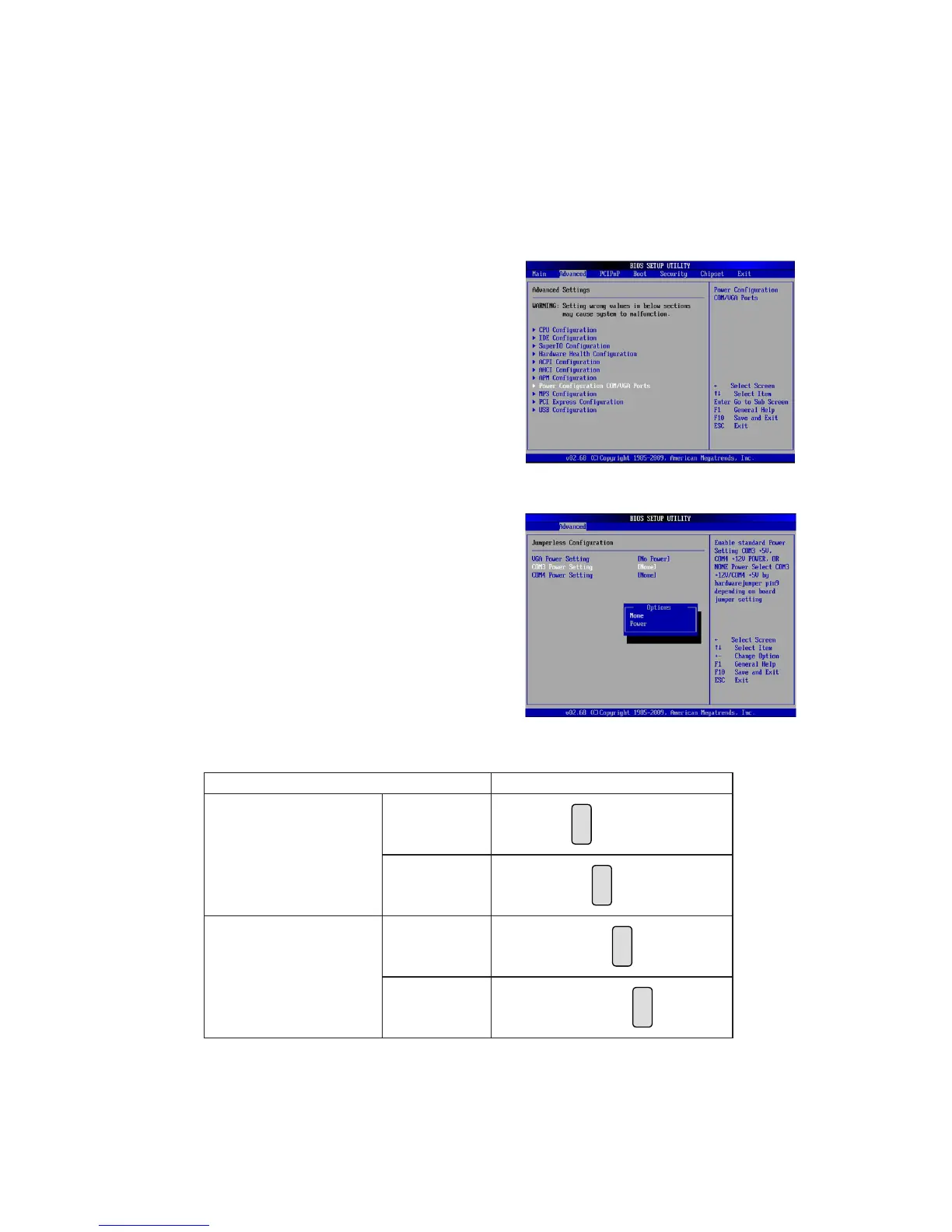
COM3 & COM4 Power Setting
For C48, COM3/COM4 power adjustment must be made by BIOS/Utility and
Jumper. Since COM3/COM4 default is “None“ meaning no power, power must be
on through BIOS prior to physical jumper change.
Jumper Setup
Function JP18
COM3
▲+5V
8
5 7
2
1 3
64
+12V
8
5 7
2
1 3
64
COM4
+5V
8
5 7
2
1 3
64
▲+12V
8
5 7
2
1 3
64
▲ = Manufacturer Default Setting
BIOS/Utility setup
Press <DEL> key to enter BIOS 1.
SETUP UTILITY when system
boot up.
Find tab "Advanced".2.
Select "Power Conguration 3.
COM/VGA Ports" and press
<Enter> to go to sub screen.
4. To switch on the power, select
"Power". Please save the
change before exiting BIOS
so as to go for physical jumper
adjustment.



 To Next Page