24
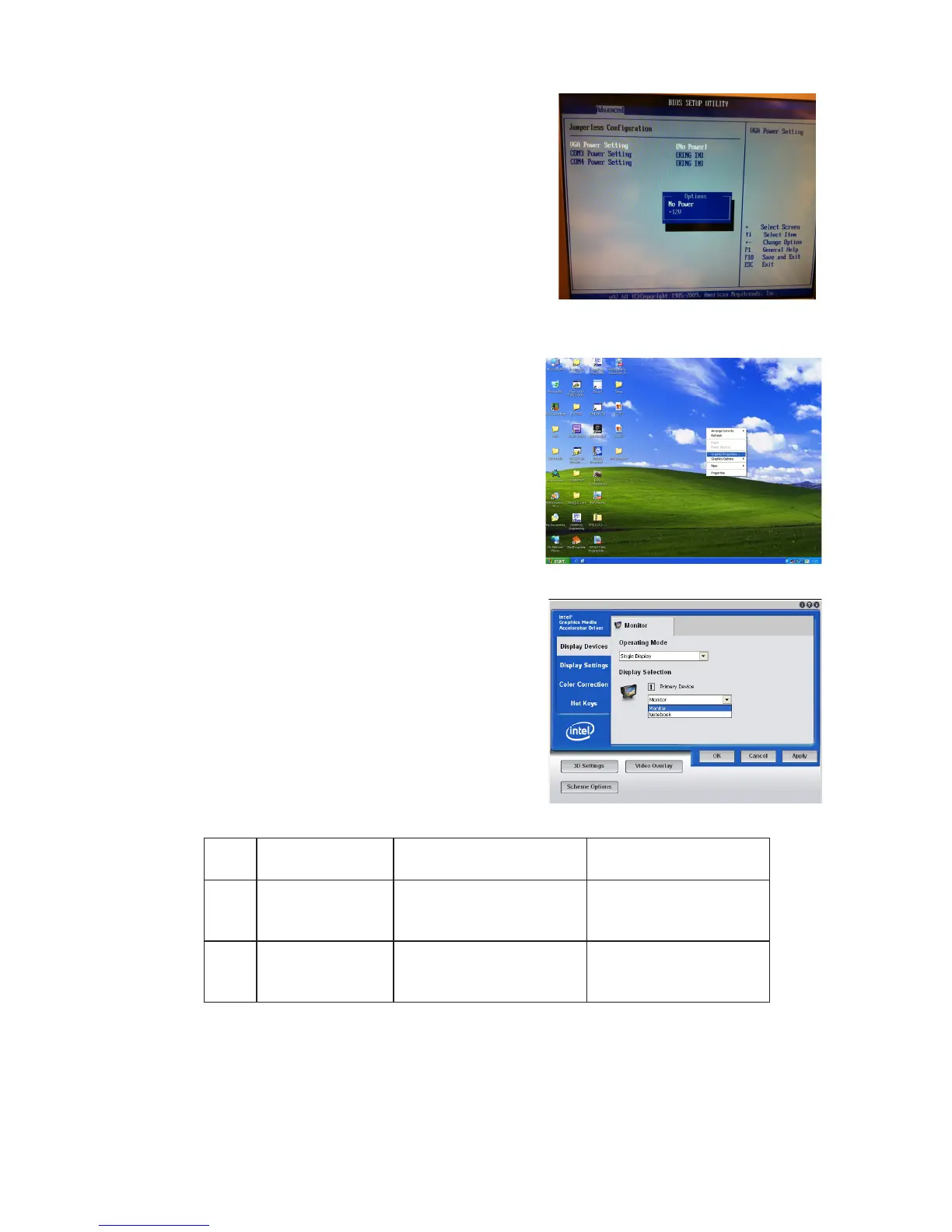
• Intel Graphics Driver Setting
No. Output Interface Connector & Jumper
Intel Graphics Driver
Device Name
1st LCD Panel CN26 Notebook
2nd VGA Port JP3/6 Monitor
4. To switch on the power, select
"+12V". Please save the change
before exiting BIOS to avoid data
lost.
Right click Desktop. Find 1.
"Graphics Properties" and enter
the manu.
2. Make sure the Display Device is
same as follows.



 To Next Page