G-2108/G-3106 User’s Manual Chapter 3: Operations and Settings
28
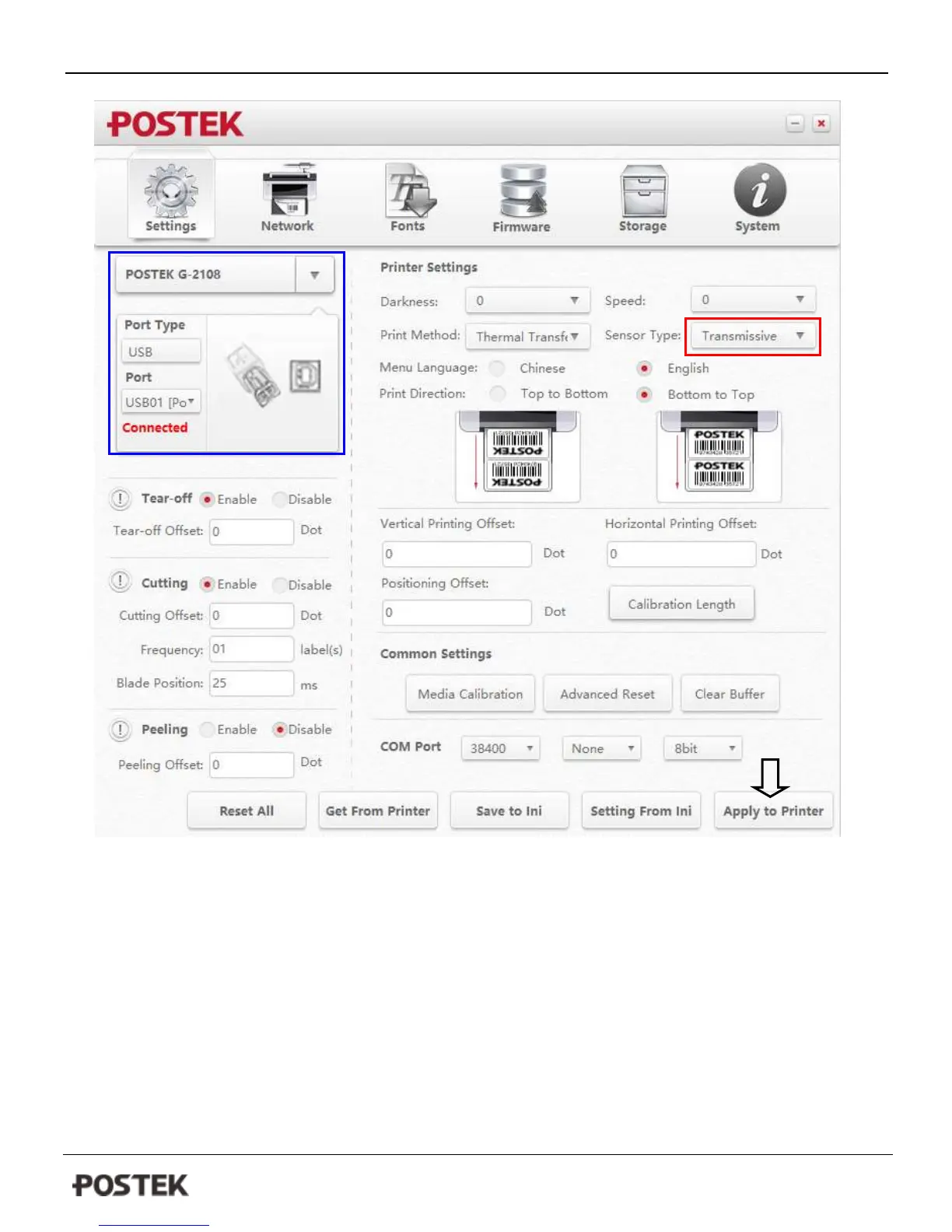
Figure 8-1
4. If the connection is correct (see the area of blue rectangle), please find the “Sensor Type” under then printer
settings area, and then select “Transmissive” from the drop-list (Figure 8-1).
5. Click “Apply to Printer” button to apply the setting to printer;
6. Perform a Media Sensor Calibration that follows steps from the previous section;
7. Open the “Advanced setup” from the printer’s driver on your PC, select “Stock” tag, and then select the correct
media type from the drop-list and check the box of “Transmissive Sensor”, see figure 8-2.
8. Click “Apply” to complete the setup; now your printer is using the Transmissive sensor for detecting media.



 To Next Page