6. OSD Menu Operations
Status Menu
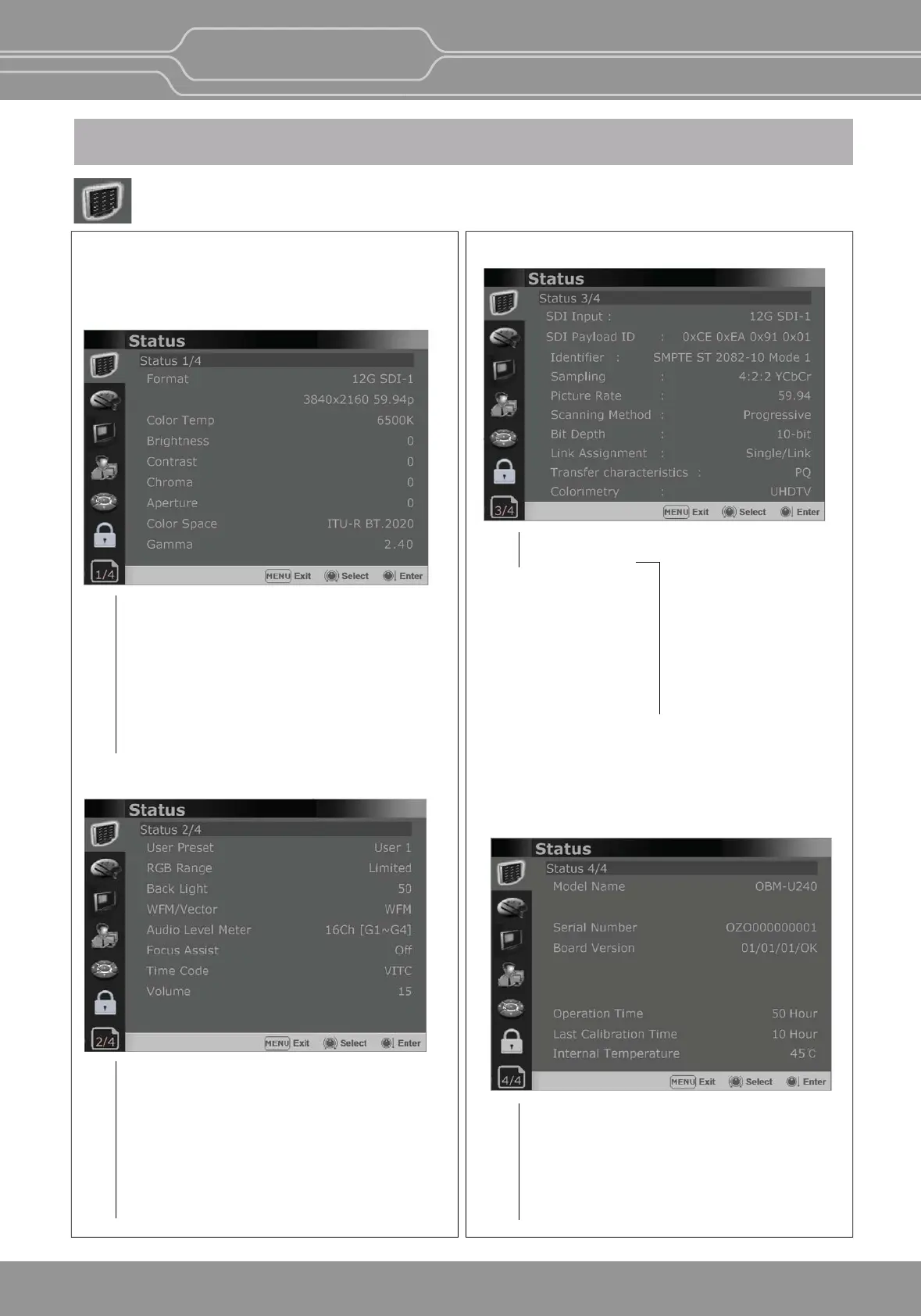
The Status menu displays the current status of the
monitor. The following items are displayed.
Page 1/4
Page 2/4
Page 3/4
Page 4/4
Format
Color Temp
Brightness
Contrast
Chroma
Aperture
Color Space
Gamma
User Preset
RGB Range
Back Light
WFM/Vector
Audio Level Meter
Focus Assist
Time Code
Volume
SDI Input
SDI Payload ID
*** When the SDI signal is connected,
these items are displayed.
Idenfier
Sampling
Picture Rate
Scanning Method
Bit Depth
Link Assignment
Transfer characteriscs
Colorimetry
OBM-U/X Series
4K LCD Professional Monitor
with 12G-SDI, Quad Link 4K
16


 To Next Page