Rear Panel (OBM-U170/U171/U240/U241/U310/U311/U550L/U551/X241/X310)
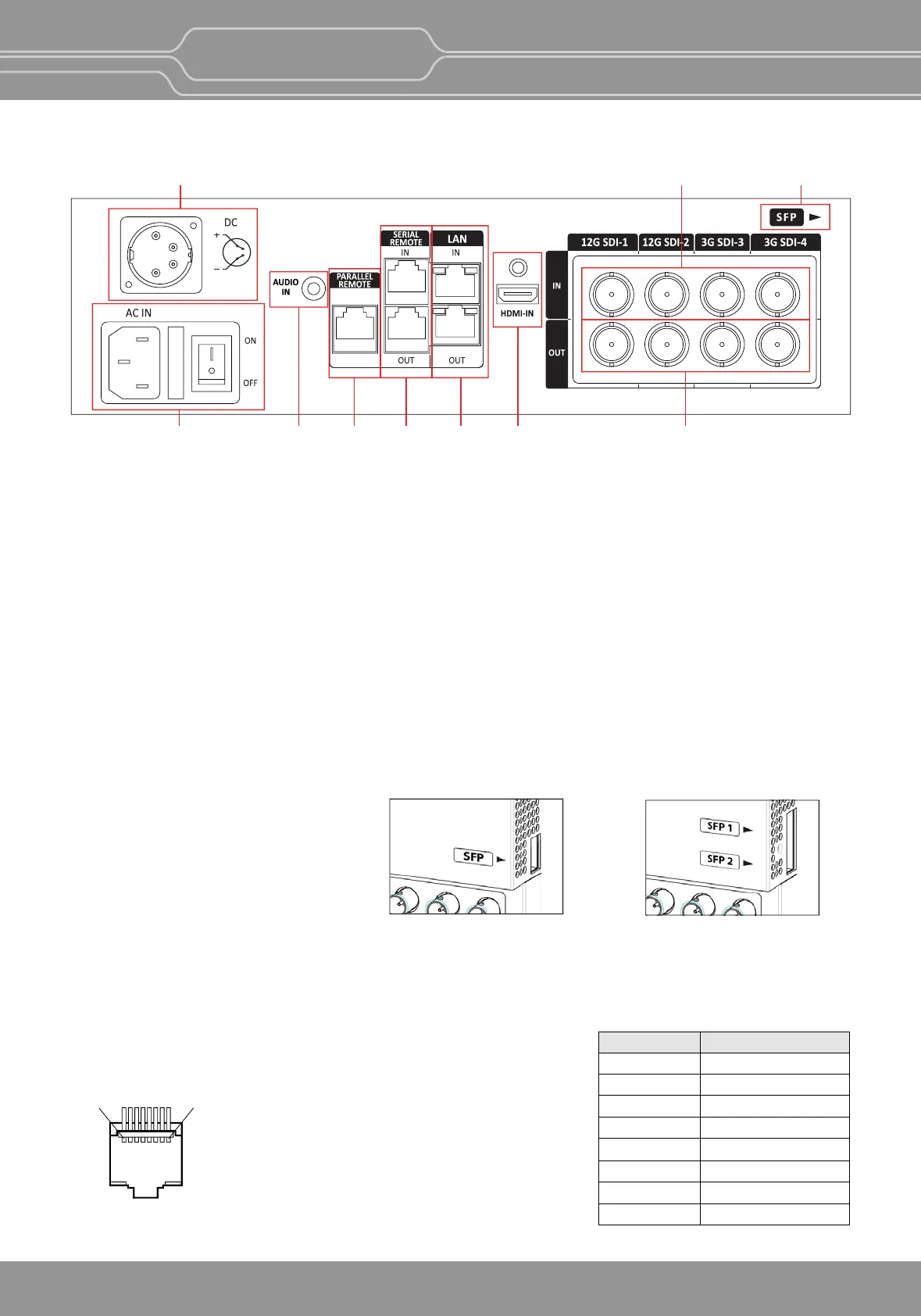
A : SDI IN (SDI Input) connectors (BNC)
Input connectors for SDI signals. For details, see “9. Connecng the SDI Signals” (page 32).
B : SDI OUT (SDI Output) connectors (BNC)
Output connectors for SDI signals.
Each connector outputs the signal which is input to the corresponding SDI IN connector.
**Note - Output is acvated only when the power is on. Output is not acvated in standby mode.
C : HDMI Input connector
Input connector for HDMI signals.
-
For an HDMI cable, High Speed HDMI Cable with the cable type logo or HDMI 2.0 Cable is recommended.
- When inpung 4K resoluon(3840 x 2160 or 4096 x 2160) signal, use a cable of 3m or less.
D : SFP Input connector
Input connector for SFP opcal signal.
E : PARALLEL REMOTE connector(RJ-45, 8-pin)
Forms a parallel switch and controls the monitor externally.
**Note - For safety, do not connect the connector for peripheral device wiring that might have excessive
voltage to this port. Follow the instrucons about this port.
[Pin Assignment]
Funcons can be changed in [Remote] secon of the menu.
DAI
BCGFEHJ
1
8
Pin Number Funcon
12G SDI-1
3G SDI-3
12G SDI-2
3G SDI-4
SFP
Dual-Link 2-S.I.
Power
GND
1
2
3
4
5
6
7
8
IN
OBM-U/X Series
4K LCD Professional Monitor
with 12G-SDI, Quad Link 4K
10
OBM-U090/U170/U240/
U310/U550L
OBM-U171/U241/U311/
U551/X241/X310


 To Next Page