4. Using the Menu
2. Turn SELECT/VOLUME knob to select a menu,
then press the knob.
The menu icon presently selected is shown highlighted.
F : SERIAL REMOTE IN/OUT connector (RJ-45)
Used for the future funcon expansion.
Connects the monitor to control the program provided by the manufacturer by using RS-422/485
communicaon or the external UMD(IMD) equipment and controls the monitor.
G : LAN(10/100) IN/OUT connector
Used for the future funcon expansion.
Connects to the LAN (10/100) connector of the network by using 10BASE-T/100BASE-TX LAN cable.
A daisy chain connecon using the LAN input/output connectors enables the control of mulple monitors in
sequence.
H : AUDIO IN connector (Stereo mini jack)
Connector for analog audio input.
Analog input can be selected with SDI Audio Seng in User Configuraon menu.
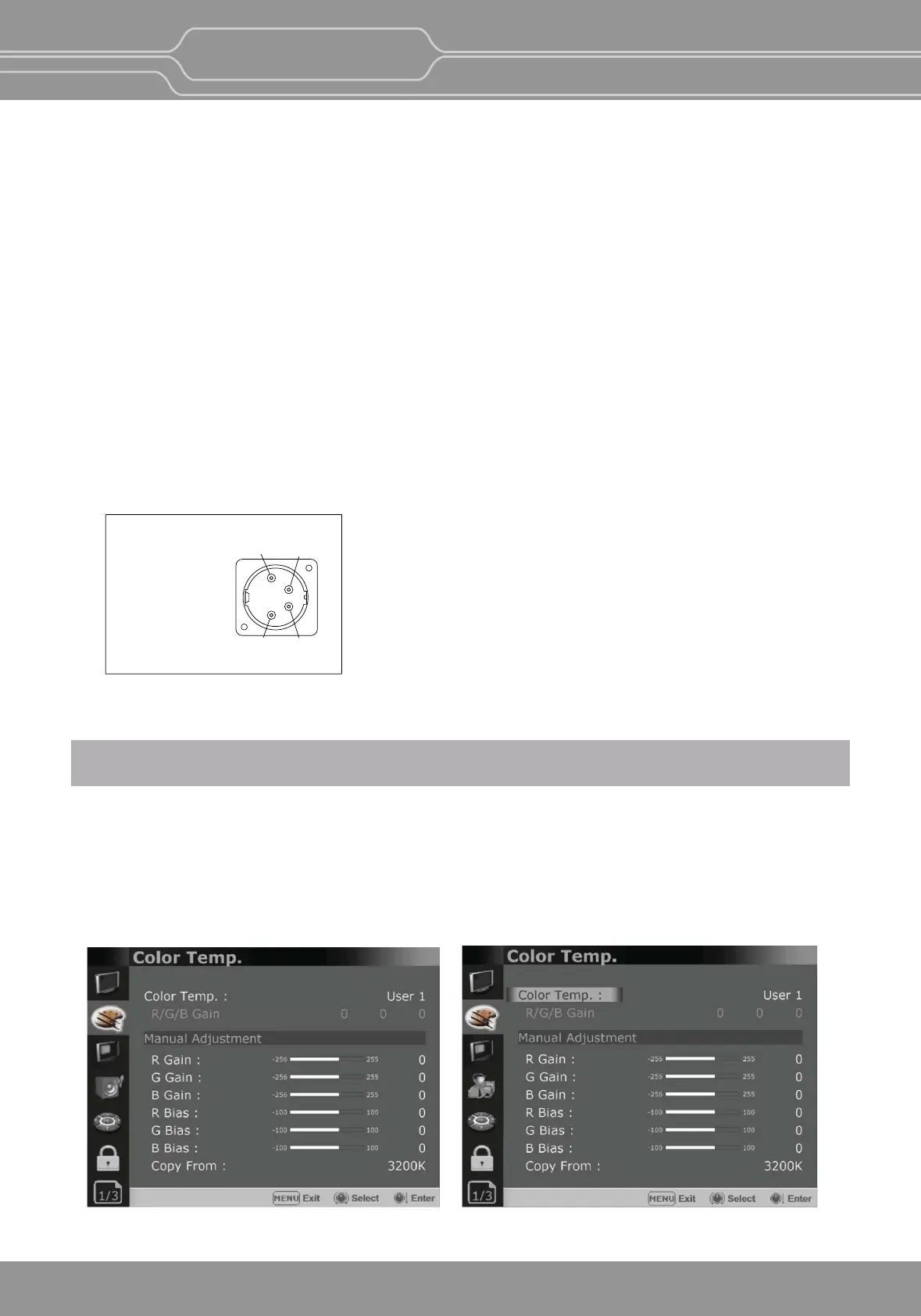
I : DC IN terminal
Connects the DC power supply to the monitor.
- OBM-U090: 12V
DC IN Socket
1 : GND
4 : +12V
4
12
3
This monitor is equipped with an OSD menu to make various adjustments and sengs such as picture control,
input seng, set seng change, etc.
1. Press the MENU buon.
The menu appears.
The menu presently selected is shown in gray.
OBM-U/X Series
4K LCD Professional Monitor
with 12G-SDI, Quad Link 4K
13


 To Next Page