B
A
C
F
E
G
D
H
I
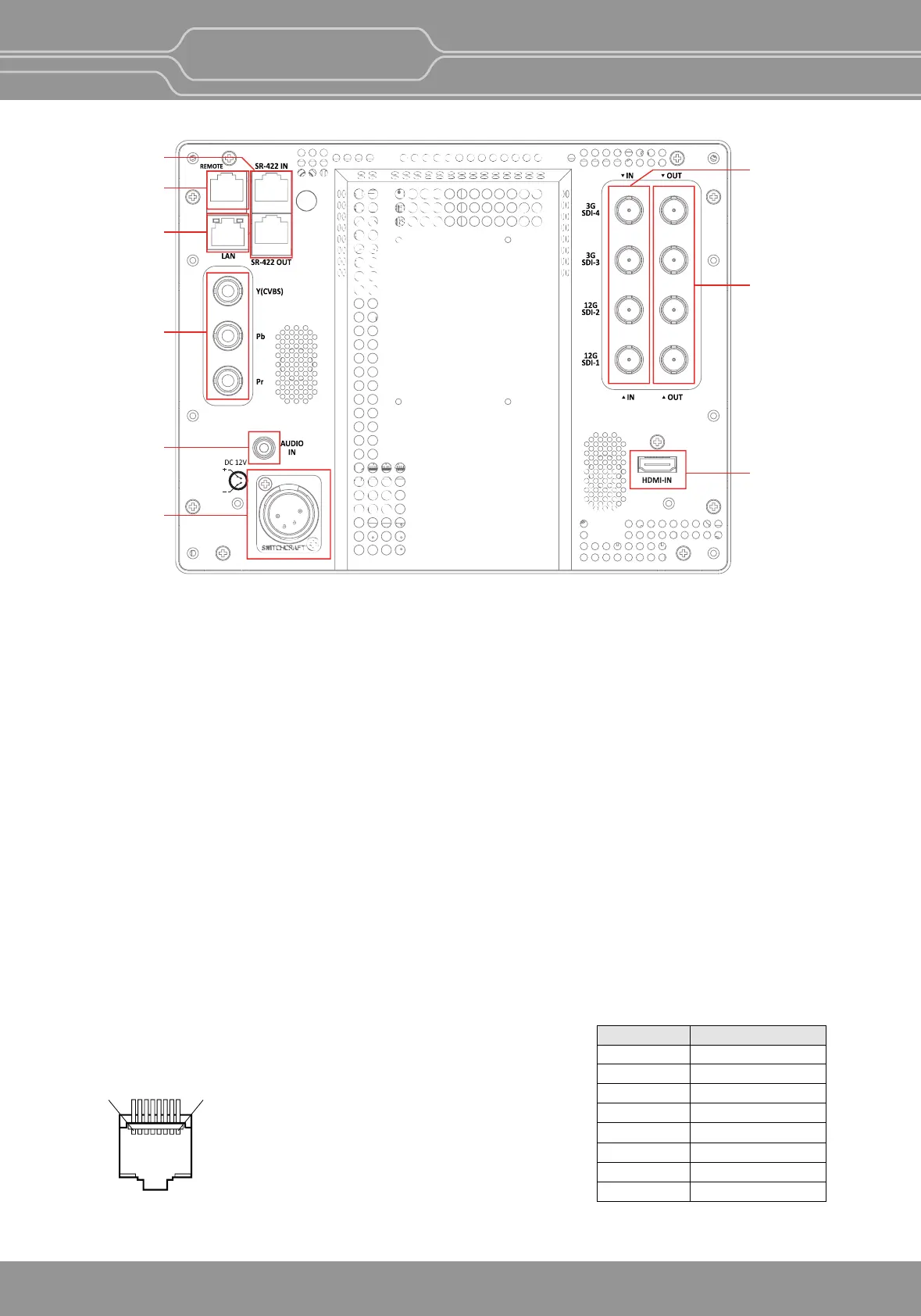
Rear Panel(OBM-U090)
1
8
Pin Number Funcon
Single SDI
Square SDI
2-S.I. SDI
HDMI
Analog
1:1 Scan
Power
GND
1
2
3
4
5
6
7
8
OBM-U/X Series
4K LCD Professional Monitor
with 12G-SDI, Quad Link 4K
12
A : SDI IN (SDI Input) connectors (BNC)
Input connectors for SDI signals. For details, see “9. Connecng the SDI Signals”(page 32).
B : SDI OUT (SDI Output) connectors (BNC)
Output connectors for SDI signals.
Each connector outputs the signal which is input to the corresponding SDI IN connector.
**Note-- Output is acvated only when the power is on. Output is not acvated in standby mode.
C : HDMI Input connector
Input connector for HDMI signals.
-
For an HDMI cable, High Speed HDMI Cable with the cable type logo or HDMI 2.0 Cable is recommended.
- When inpung 4K resoluon(3840 x 2160 or 4096 x 2160) signal, use a cable of 3m or less.
D : Analog Input connector
Input connectors for analog signals (CVBS, Component).
E : PARALLEL REMOTE connector(RJ-45, 8-pin)
Forms a parallel switch and controls the monitor externally.
**Note - For safety, do not connect the connector for peripheral device wiring that might have excessivens
voltage to this port. Follow the instrucons about this port.


 To Next Page