8. Scan Mode Image (OBM-U090/U170/U171)
OBM-U090/U170
4K/QFHD Mode
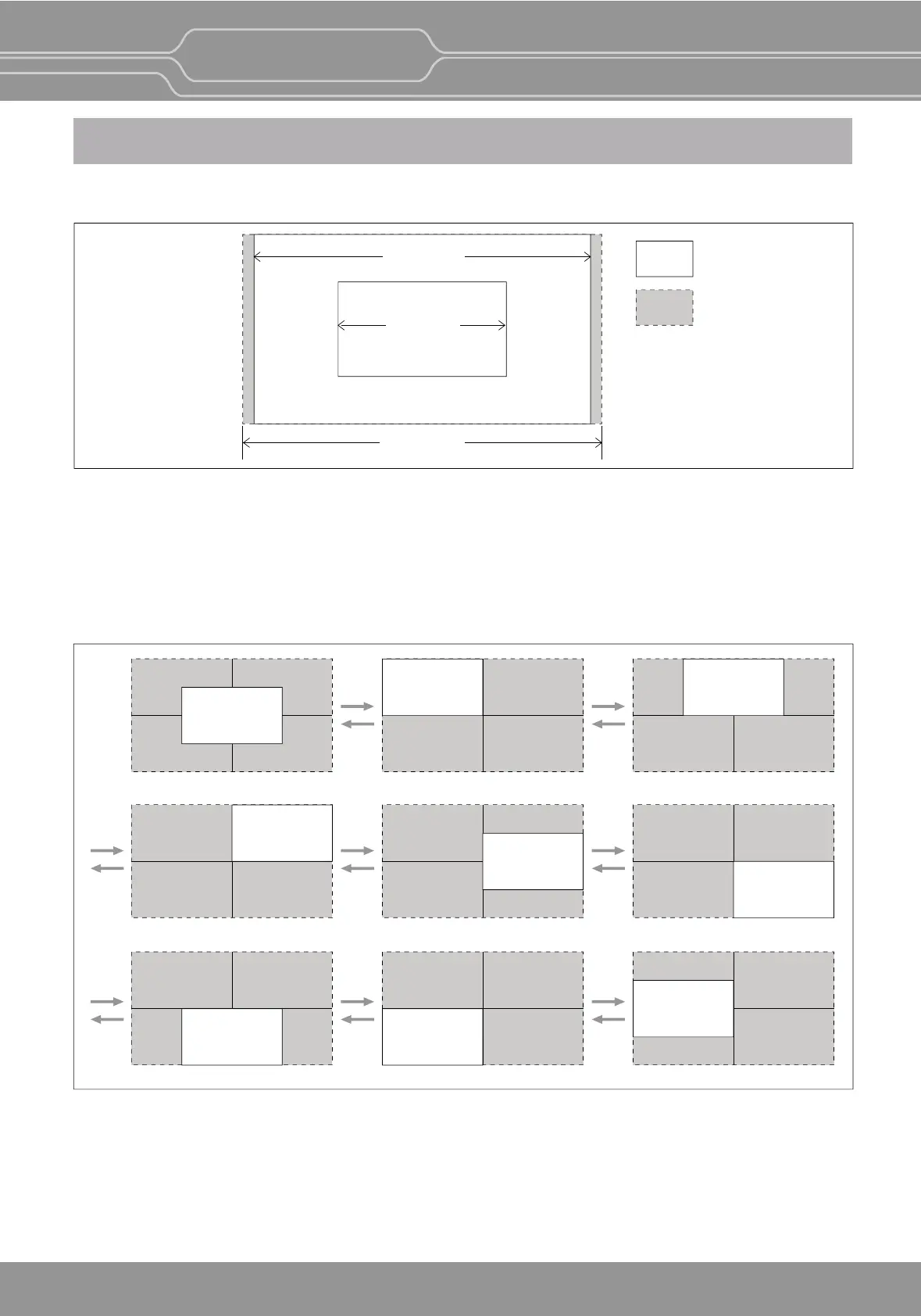
The LCD panel resoluon of OBM-U090/U170/U171 is FHD(16:9) 1920x1080. So, when Zero Scan is selected,
if the input signal is QHD(3840x2160) it is scaled to 1920x1080(16:9), and if the input signal is DCI 4K(1.89:1)
4096x2160 it is scaled to1920x1012(1.89:1).
If you press [Scan] buon and select [1:1 Scan] mode, 1:1 pixel mapping of the original image is displayed.
The locaon of the image can be changed by rotang the [SELECT/VOLUME] knob.
**Note -When QFHD/DCI 4K signal is fed, [Aspect] buon is not acvated.
[UP]
[DOWN]
[UP]
[DOWN]
[UP]
[DOWN]
[UP]
[DOWN]
[UP]
[DOWN]
[UP]
[DOWN]
[UP]
[DOWN]
[UP]
[DOWN]
[Posion change in 1:1 Scan]
Panel
Input image
3840 x 2160
1920 x 1080
4096 x 2160
Center Le Top Mid Top
Right Top Right Mid Right Boom
Mid Boom Le Boom Le Mid
OBM-U/X Series
4K LCD Professional Monitor
with 12G-SDI, Quad Link 4K
31


 To Next Page