PRK-5000 Operation Manual
- 6 -
4. Practicing through Model Eye
Practice measurement by using the accessory Test Model Eye before doing the actual
measurement.
(1) Turn ON the power
Turn ON the power switch of the instrument.
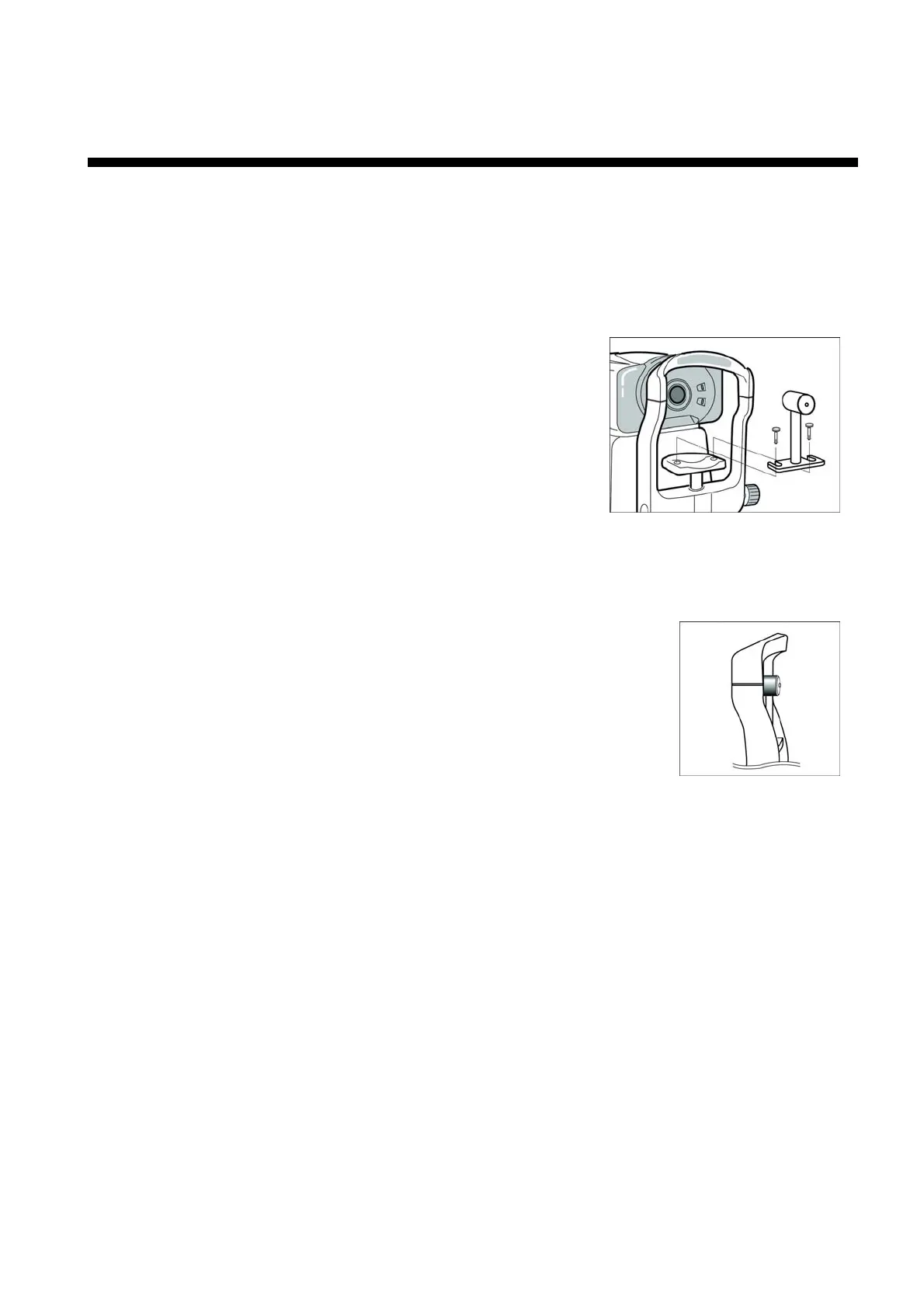
(2) Attach the model eye
Remove the chin rest paper and align the holes on the
base of the model eye with the holes on the chin rest.
And insert pins.
(3) Release stage lock
Fully turn the Clamping Knob in the underneath cover in counterclockwise direction.
And turn the stage holding knob in counterclockwise direction to release the stage lock.
(4) Adjust height of Test Model Eye
Adjust the height of the chin rest by rotating “Height Adjustment
lever” so that the Test Model Eye is aligned with the “Height
Adjustment mark” on the face rest.
(5) Enter K/R or REF Mode.
If neither “K/R” nor “REF” is displayed on the monitor, press MODE button until either
one is displayed.



 To Next Page