PRK-5000 Operation Manual
- 36 -
7.2 Replacement
7.2.1 Printing Paper
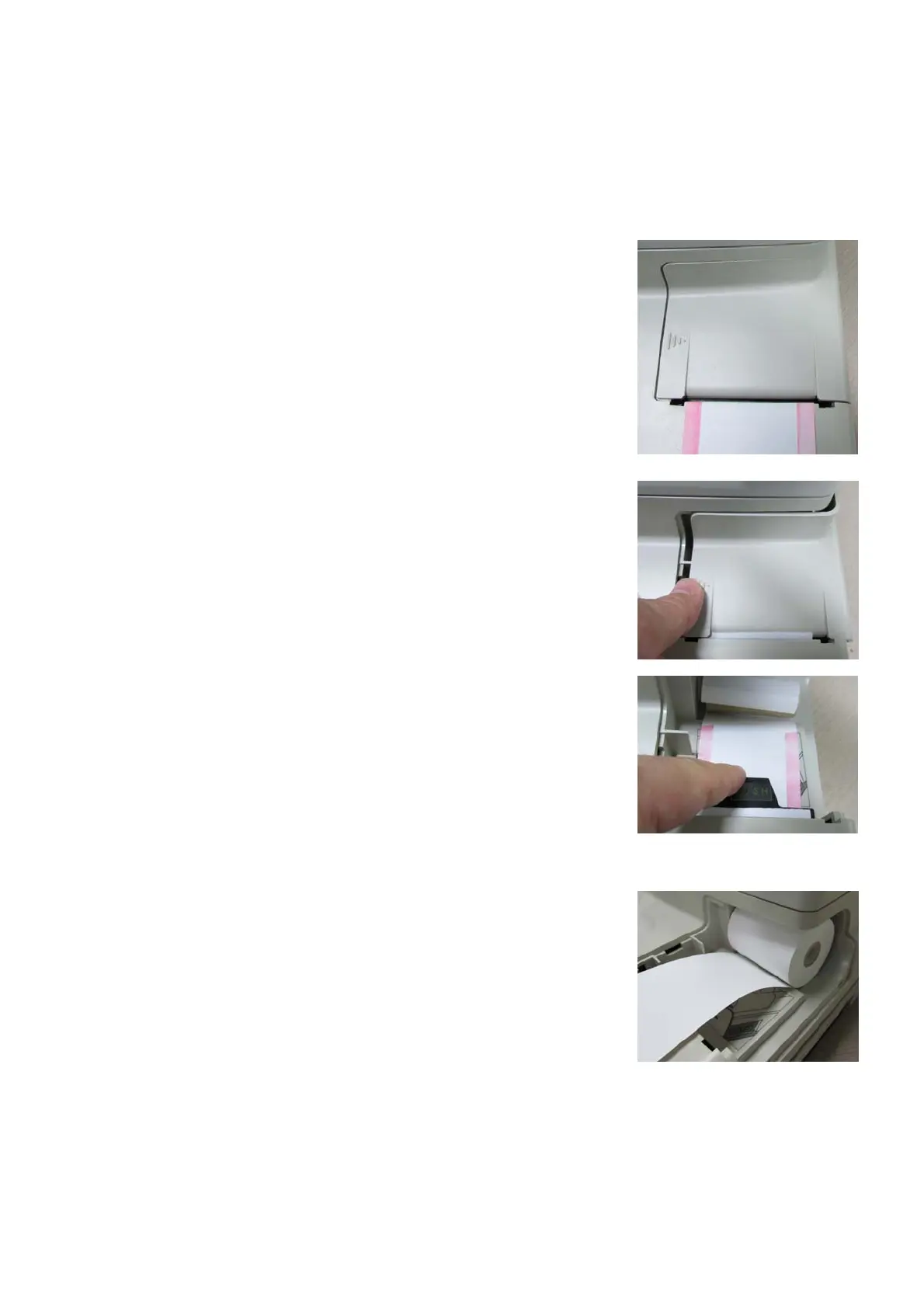
When a red line appears on the side of printer paper, it means
that paper is running short.
Replace the roll of printing paper as soon as possible if the red
line appears in the paper.
NOTES:
Make sure to confirm kind and size of the paper.
Kind: thermal paper
Size: 57mm in width and 50mm in diameter
(1) Open the printer cover.
(2) Push the “PUSH” label part of the ejector.
Remove the ejector and roller.
NOTES:
Be sure to push the label part.
Pulling force, you may damage the ejector.
(3) Remove the used printer paper.
(4) Insert new printer paper.
Set printer paper so that its end is exposed from the cover.



 To Next Page