13
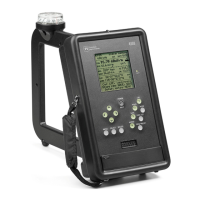
SAVE/F3: Used to save a measurement and associated data in internal memory. Press once to review
and change the associated data on the Save screen, and press again to complete the Save operation and go
back to the Field Strength screen. For details see Sec. 4.2.4, p. 19. For F3 see FREQ PRESET.
HOLD/F2: When pressed, the field strength value at that time is held on the display and in temporary
memory. For details see Sec. 4.2.4, p. 19. For F2 see FREQ PRESET.
LPF/F1: Controls stepping through three low-pass filter choices for three degrees of field strength value
smoothing. For details see Sec. 4.2.5.3, p.20. For F1 see FREQ PRESET.
FREQ PRESET: Allows quick selection of any of four previously stored frequencies which are shown
on the display as F1, F2, F3, and F4 after FREQ PRESET is pressed. Selection is made by pressing
one of the keys marked F1, F2, F3, or F4 as indicated above. For details see Sec. 4.2.1.3, p. 17.
FREQ SET: Allows setting the receive frequency to any available value by setting each digit of the kHz
number on the display to the desired value. For details see Sec. 4.2.1.3, p. 17.
MODE: From the Field Strength screen, steps the display through three spectrum display modes and
back to the Field Strength screen. For details see Sec. 4.2.7, p.22.
BATT LED: Signals by flashing that the 4100 will soon turn itself off because of low battery voltage and.
the battery pack needs to be recharged. For details see Sec. 4.4.1, p. 26.


 To Next Page