PFC-4064 KEYPAD PROGRAMMING • 8870080 • REV A • 12/17
Section 3: Operation
This section provides an overview of the control panel’s basic operations, which includes the status LEDs, function
pushbuttons, and a Control Panel Menu Tree quick reference sheet.
Control Panel Basic Operation
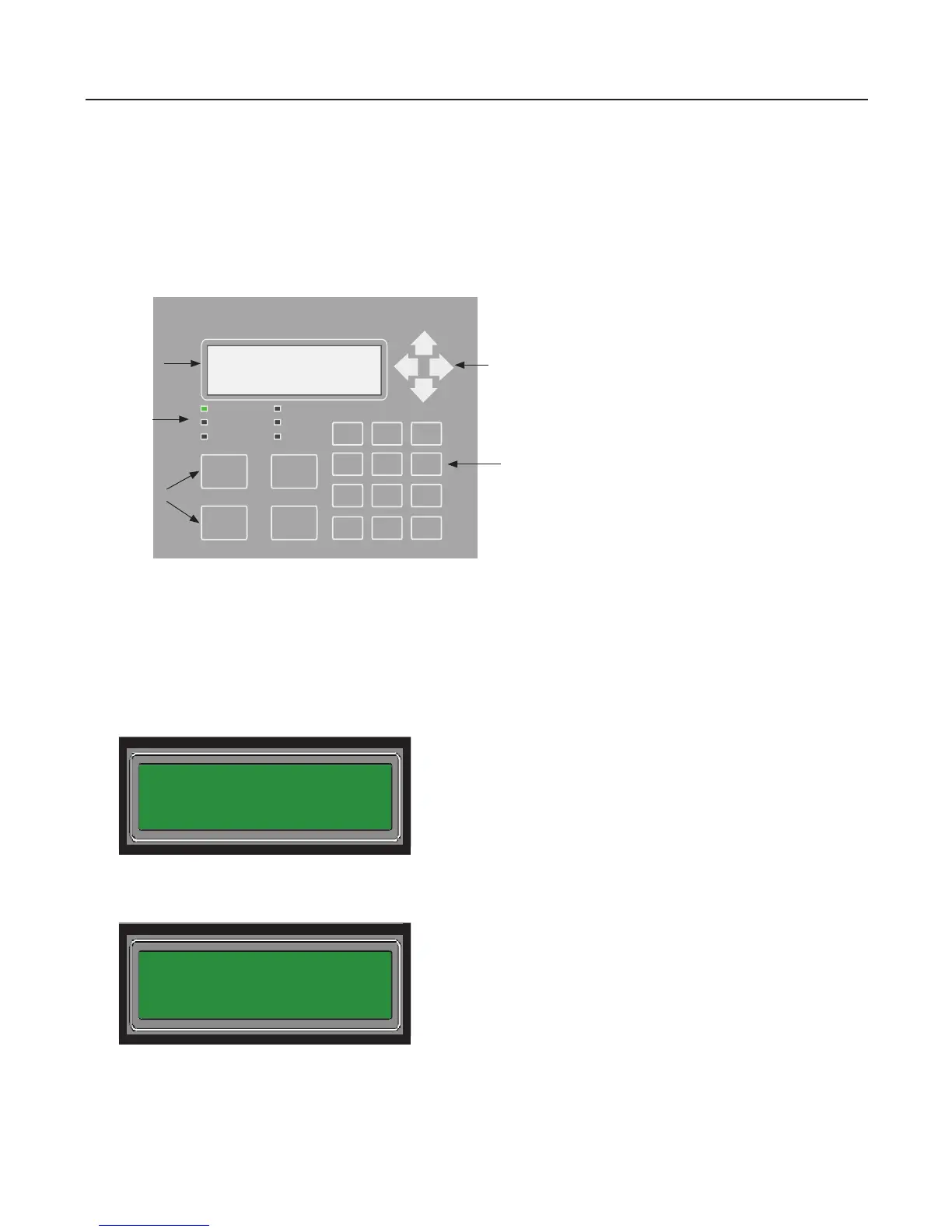
The control panel is comprised of a four (4) line x 20-character LCD display panel, arrow keys, push button function keys,
status LEDS, and the numeric keypad. A description of each component is included in this section; please refer to the gure
shown below.
Figure 1. PFC-4064 Control Panel Display
Note: Authorized system operators must use a key to open the outer door of the cabinet.
LCD Display
The LCD panel displays the standard Start-up menu as shown below. The LCD displays up to eighty (80) characters of
information displays, providing important feedback to system users, i.e., system messages, status information, trouble
conditions, or input changes. The LCD also provides access to the Main Menu for daily system operations and specic
programming functions.
Figure 2. LCD Start-Up Screen
Note: You may customize the Start-up screen to display a specic job site name or other relevant descriptive text by
selecting ‘Panel Name’ in the System Setup submenu.
SILENCE
POWER
EARTH FAULT
SILENCED ALARM
SUPERVISORY
TROUBLE
RESET
ACK DRILL
1 2 3
4 5 6
7 8 9
0
ESCENTER
Status
LEDs
Numeric Keypad
Arrow Keys
LCD Display
Function
Pushbuttons
PFC-4064
All Systems Normal
11/16 21:20:00
PFC-4064
All Systems Normal
11/16 21:20:00
System Setup
1=Panel Name
2=Idle Message
3=Display Option
4



 To Next Page