5.17 Controller Stop Mode
(Manual Adjustment of
Burner Load)
For setting and controlling the CO
2
values the Paramount in operated in the con-
trol stop function.
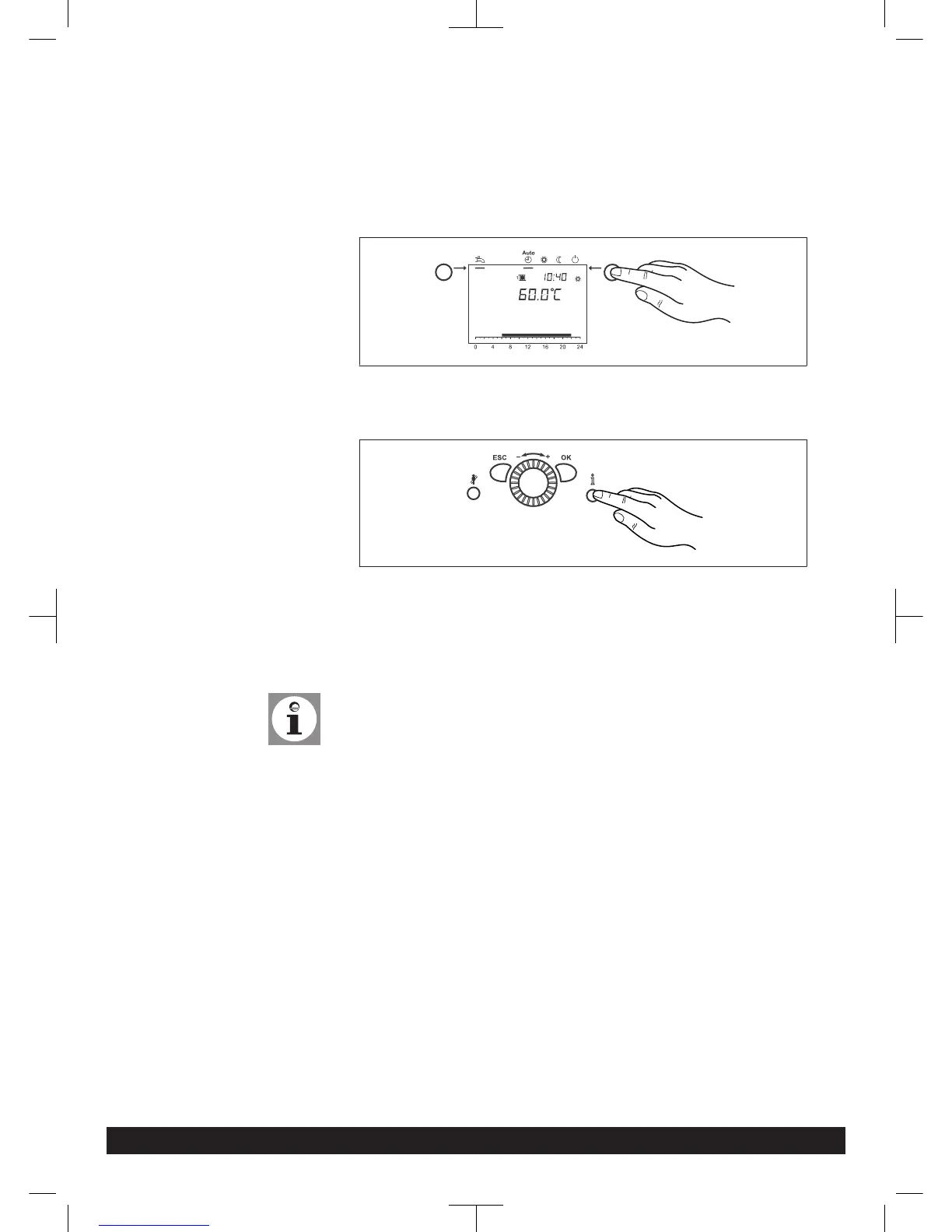
1.
Press operation mode button Heating Operation for approximately 3 seconds
=> the message Controller Stop Function ON is displayed.
2. Wait, until the display has reached the basic display again.
3.
Press information button
=> The message Controller stop setpoint adjust appears in the display. The ac-
tual modulation degree will be displayed on the display.
4. Press OK button
= > The nominal value can now be changed.
5. Press OK button
=> The displayed nominal value is taken over by the control.
Note:
The regulator stop function is stopped by pressing the operating mode but-
ton Heating Operation for approximately 3 seconds, reaching the maximum boiler
temperature or a time limit.
If a heat demand from a cylinder with internal indirect coil is present, this demand
will continue to be met while the controller stop function is running.
5.18 Guide Values for Injector
Pressure
Guide values for gas flow, jet presure and CO
2
-content
The values given in Tab. 6 (Page 36) are guide values. It is important that the gas
quantity is set via the injector pressure in such a way that the CO
2
-value is within
the specified values (see Tab. 2 (Page 13) ).
Installation
7308272-03 03.14 Paramount three 30-115 kW 35




 To Next Page