www.powerbox-systems.com
31
14. WIFI
If you wish to use the Online Update function you must rst set up your WiFi connection. The CORE transmitter
can be bound to your stationary router at home, or to a hotspot which you create with your mobile phone. This
means that you can even update your system at the ying eld!
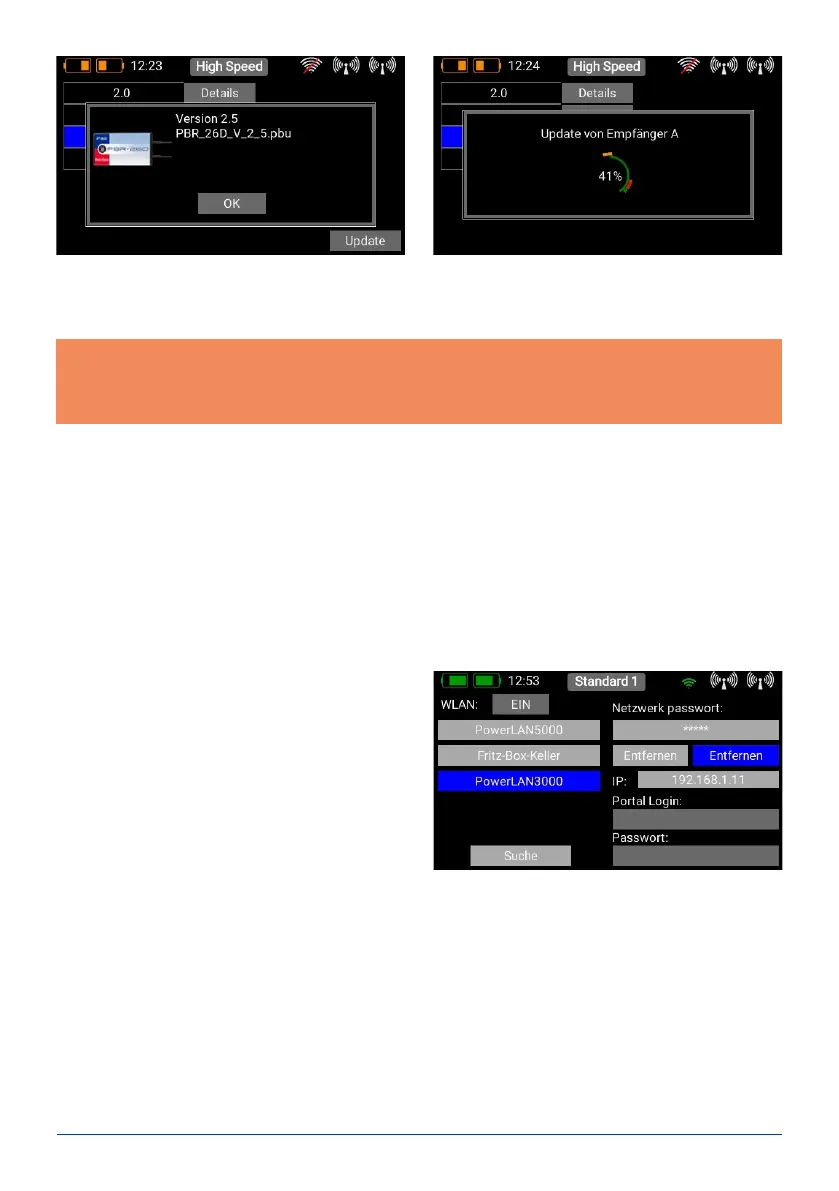
You will nd the WiFi settings in the right-hand pull-
down menu. First switch on the WLAN module by
pressing the OFF button. The WiFi module in the trans-
mitter immediately searches for all WLAN hotspots
which are in range. Select the hotspot you wish to use.
You will now see the Input Password mask. Enter this,
and press Connect. Your IP address is displayed, and
the WiFi symbol at the top turns green.
All passwords are stored in encoded form in the transmitter’s Linux computer memory, and cannot be read out.
The purpose of the Forget button is to erase this information.
At the bottom right you will nd two input elds for the Portal login. This feature will be available as soon as
the web portal goes online. This enables you to store model les and log les online in a cloud or to evaluate
telemetry logs.
Briey press Update for one of the bound receivers. The following screen displays the software version which
is currently in the transmitter’s memory. Select the latest version, and wait until the update is complete. If
multiple receivers are bound to the transmitter, repeat the procedure with each one.
Note: don’t hold the transmitter too close to the receiver, as transmission is very poor at a range of less than
50 cm. The transmitter and receiver are designed to operate at long range, and at very close range the input
ampliers may be overloaded. At a range of 1m to 9km the update process functions without any delay!
Important: if a radio update - for whatever reason - should fail, that is not a problem. Right at the bottom of the
Update menu you will nd the Restore Firmware button. Disconnect all other bound receivers from their power
supply, and re-connect the receiver which you wish to update. Now press Restore Firmware.



 To Next Page