22 PowerBox-Systems − World Leaders in RC Power Supply Systems
9. SPEECH OUTPUT
The speech output function of the CORE is based on the latest TTS (Text to Speech) technology. Each trans-
mitter possesses a licence for the Accapella@ speech module. For optimum speech quality we have imple-
mented what is probably the most highly developed TTS system available; the licence is a chargeable item which
is included in the CORE as standard. For each language several male and female voices are available. Due to the
le size these are gradually loaded into the transmitter by means of updates. As of Version 1.60 one male and
one female voice are available for each language. This means that the recording of speech les, and copying
from WAV or MP3 les, is now a thing of the past.
There is one important point to bear in mind regarding speech output: a German text will not be reproduced
correctly using an English voice, and vice versa. It is therefore essential to assign German names to, say, ight
modes if the transmitter is set to the German language. However, that is the only point you need to note; in every
other respect the TTS system will give you loads of fun!
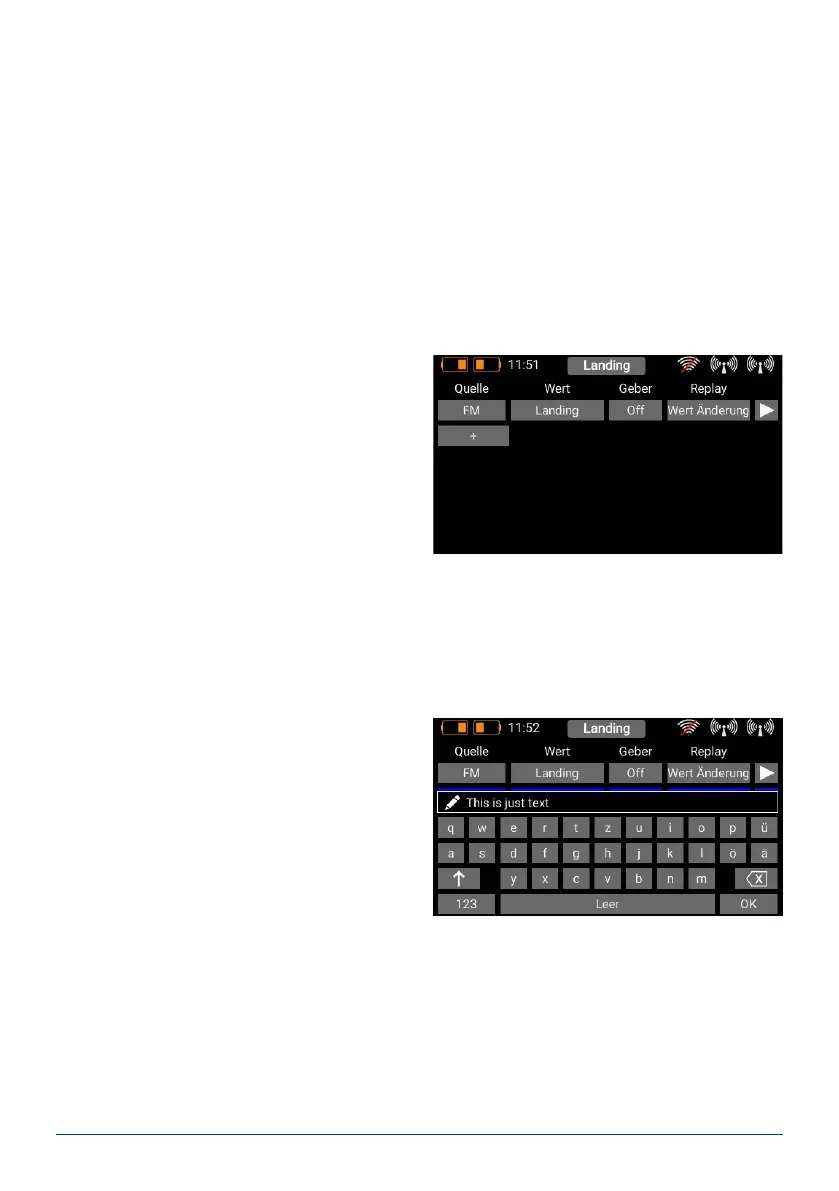
When you open the Speech Output menu, the follo-
wing screen display appears:
The only speech output implemented as standard is the statement of Flight Modes. All other speech outputs can
be set up in the usual way using the + character. To select a new speech output, just press the + button.
a) Source
At this point you select the source which provides the text to be spoken. Version 1.95 provides speech output
for ight modes, free text, timers and telemetry values. In subsequent versions it will also be possible to set up
spoken alarms for telemetry values.
b) Value
If you want the system to speak free text or a tele-
metry value, at this point you should select the sen-
sor value which is to act as data source. In the case
of free text you can enter up to 64 characters here.
c) Activation
Here you can select a transmitter control, or perma-
nent ON / OFF.
d) Replay
In this menu you can activate single and repeated statements, or a statement in response to a change in a
value.
Depending on your choice, you have the option of setting the interval period or the extent to which the selected
telemetry value must change in order to activate speech output.
e) Test
This button has two functions:



 To Next Page