14 PowerBox-Systems − World Leaders in RC Power Supply Systems
b) Remove
The Remove button has an important function: if you wish to uninstall a receiver from a model, it is essential to
remove that receiver from the model memory beforehand using this button. If you simply uninstall the receiver
without rst removing it at the transmitter, then the other bound receivers will not work when you next switch
the system on. This is an important safety feature, as it ensures that all the bound receivers are working when
you switch the system on, i.e. before you take off!
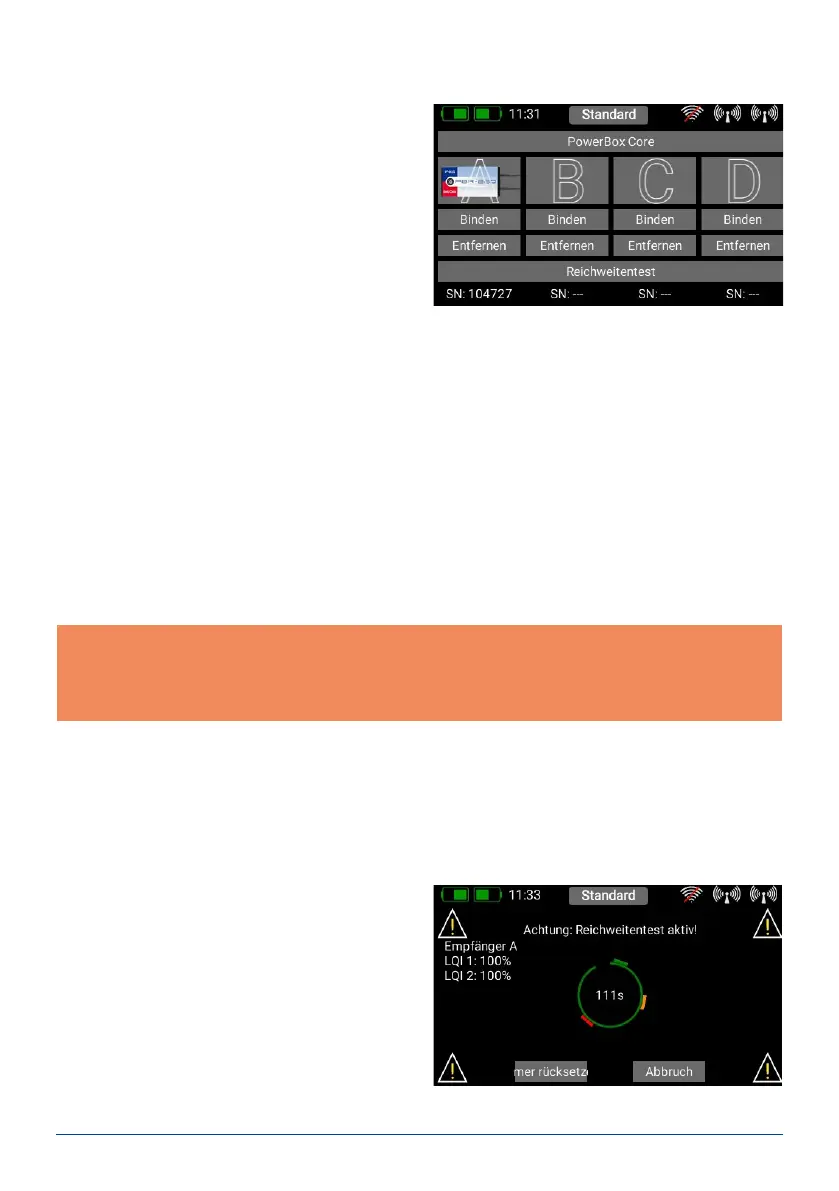
c) Range check
The Range check function reduces the transmitter’s
output power, thereby simulating a large distance
between transmitter and model. This enables you to
determine any possible weaknesses in reception in
the receivers. In range check mode all the controls
should work perfectly at a range of at least 50 m.
During the Range Test you can see the values for
Link Quality (LQI). This enables you not only to see
whether the radio link is working, but also the qua-
lity of the link. This can be helpful in determining
the optimum aerial positions in the model before
you y it.
4. BINDING A RECEIVER
Select the Receiver button from the Main menu. As
you will now see, up to four receivers can be bound to
the CORE simultaneously.
It is even possible to use different types of receiver;
for example, one PBR-9D and one PBR-5S can be
bound. All four receivers are of “equal value”, i.e. there
is no Master / Slave assignment, and no restrictions in
terms of telemetry. Telemetry sensors can be connec-
ted to all four receivers, all of which send data to the
CORE on an equal footing.
The receivers are identied by the four capital letters A to D. The same letters appear in the telemetry data sent
from the receivers, helping to differentiate between them.
a) Binding
There are two methods of binding receivers:
1. Connect a power supply to the receiver, and it will respond by ashing green at high frequency for ten seconds.
Press the Bind button on your CORE transmitter, and the receiver now binds to it; the LED lights a continuous
green.
If you do not press the Bind button within the ten-second period, the LED switches to ashing slowly red – at
this point the receiver can no longer be bound to the transmitter. You can only re-start the process if you rst
disconnect the power supply.
2. Press the Bind button on your CORE, then connect the receiver to a power supply. The LED switches to conti-
nuous green once the receiver is bound.
Technical information: during the binding procedure the PowerBox CORE generates a random sequence
from a total of more than 32 million numbers; this is then used as the basis for calculating the hopping
sequence and encoding the signals. The likelihood that two identical codes could be generated is therefore
very close to zero.



 To Next Page