www.powerbox-systems.com
13
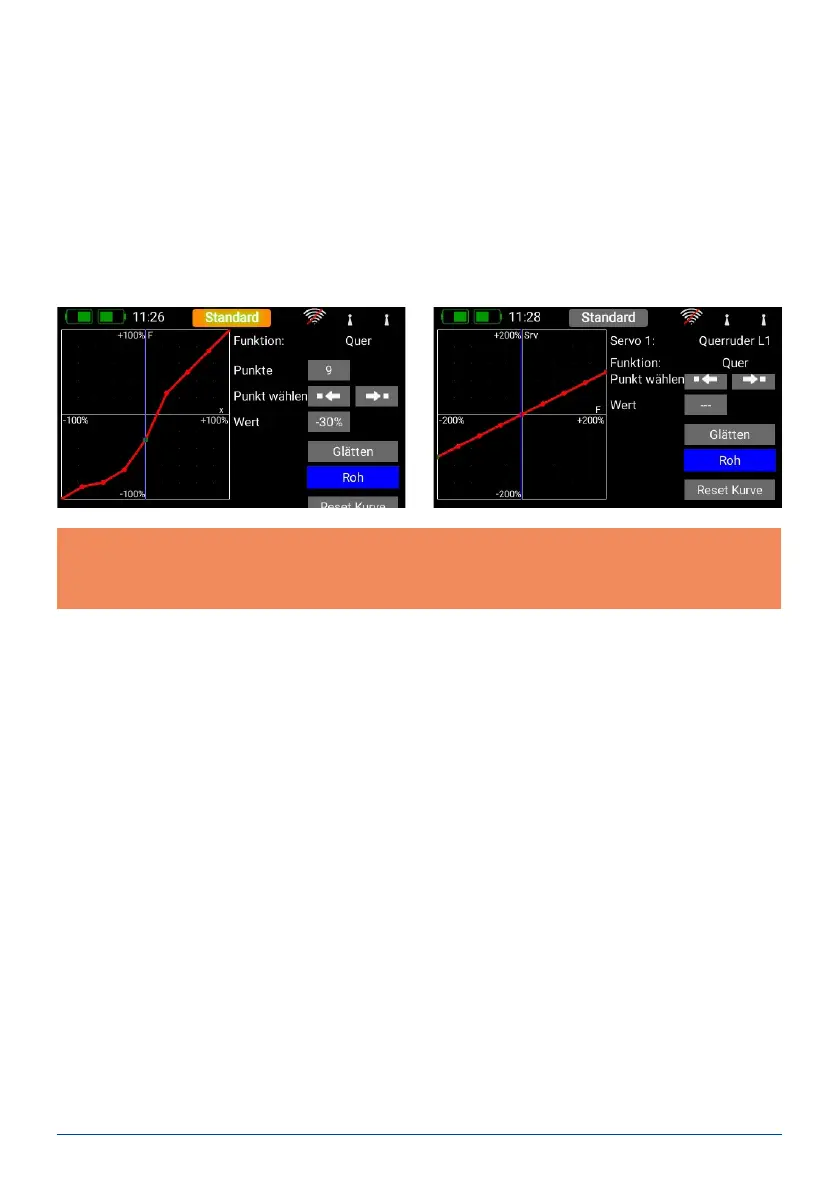
This is the procedure: use the arrow buttons to select the point you wish to adjust. Briey press the displayed
setting at Value, then adjust the servo for this position.
The Smooth button can be used to even out the course of the curve.
Right at the bottom you will nd a Reset button which sets the curve back to a straight line.
Once you have set the desired curve, return to the Servo Curve menu, where you will nd three Preview buttons.
- Servo curve: this displays the shape of the pure servo curve.
- Function curve: this displays the shape of the pure function curve. If you have already set up Expo or Dual
Rates, this will be shown in this view.
- Result: this displays the net result of the function curve and the servo curve.
Note: if you wish, you can reset the servo curve once you return to the Servo Overview. If you accidentally nd
yourself at the Reset button, that is not a problem: simply select the Curve Editor again, and the curve will still
be present there with the settings you last selected.



 To Next Page