18 PowerBox-Systems − World Leaders in RC Power Supply Systems
7. SERVO CUT-OFF
This feature provides a very easy means of switching a servo output to a xed, previously dened value. An ex-
ample of this might be a motor arming switch, or a xed, pre-dened nosewheel position when the undercarriage
is retracted.
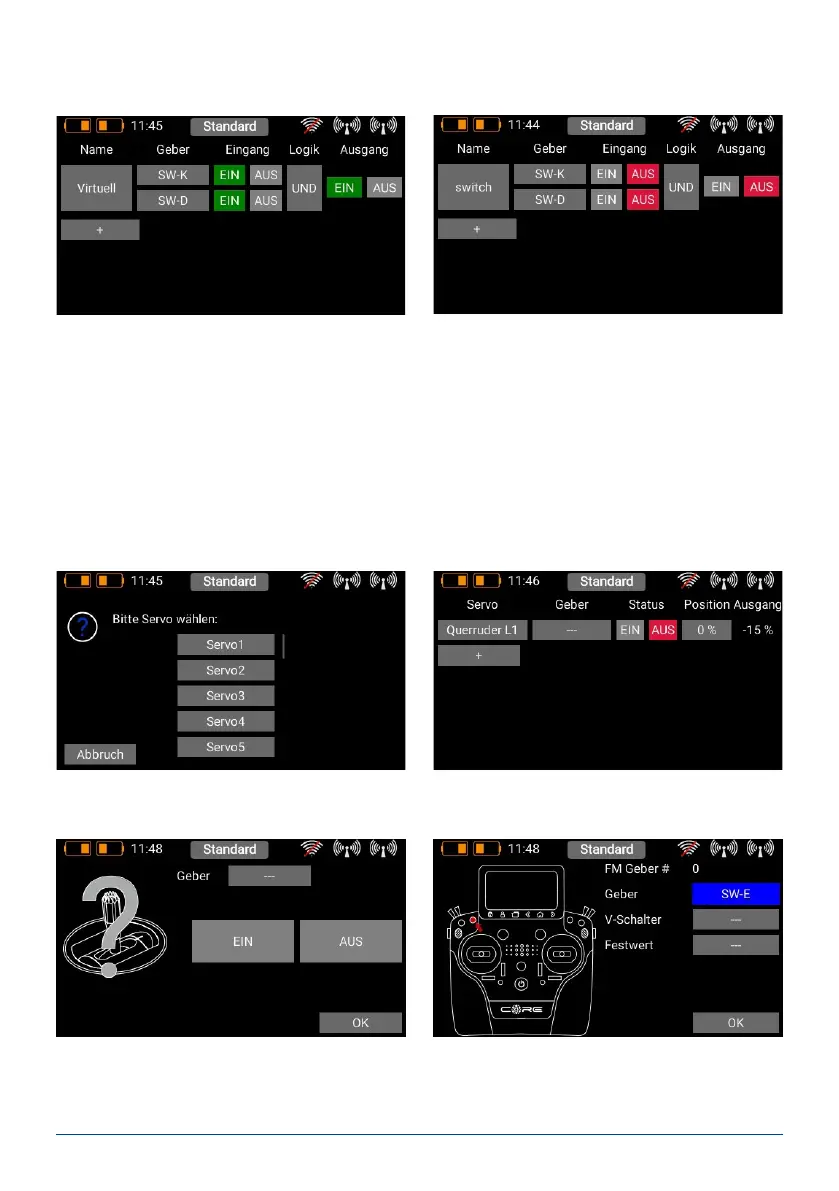
Select the Servo Cut-Off menu, then press + in order to create a new cut-off function. At this point select the servo
which you wish to move to a xed, pre-dened position, then press OK.
You can now select a switch or linear control as transmitter control by operating it.
Yet another option is to use the output of a previously dened logical switch in turn as a transmitter control input.
Press OK when you have made your selection.
You are now returned to the virtual switch overview, and you can dene the second input using exactly the same
procedure as the rst. Once you have nished you can check how your settings behave.
Selecting AND or OR logic denes the switching characteristics you wish to use.
First select a transmitter control by briey pressing the blank eld (three dashes) under Control; press Control
again at the next screen:



 To Next Page