www.powerbox-systems.com
33
Caution: if you clean the handrests, it is essential to allow them to dry out completely before re-attaching
them to the transmitter, otherwise damp could enter the transmitter and cause corrosion damage!
17. MECHANICAL TRANSMITTER ADJUSTMENTS
a) Removing the handrests
The handrests tted to the CORE can be removed quickly and easily: simply undo the four socket-head screws
in the feet, and the handrests can be slid down and off.
Note: Alcantara is not, as often supposed, natural leather, but a micro-bre material. Alcantara is incredibly
tough and durable, and is very easy to maintain. If your handrests become soiled, simply rinse them clean
using warm water and ordinary hand soap.
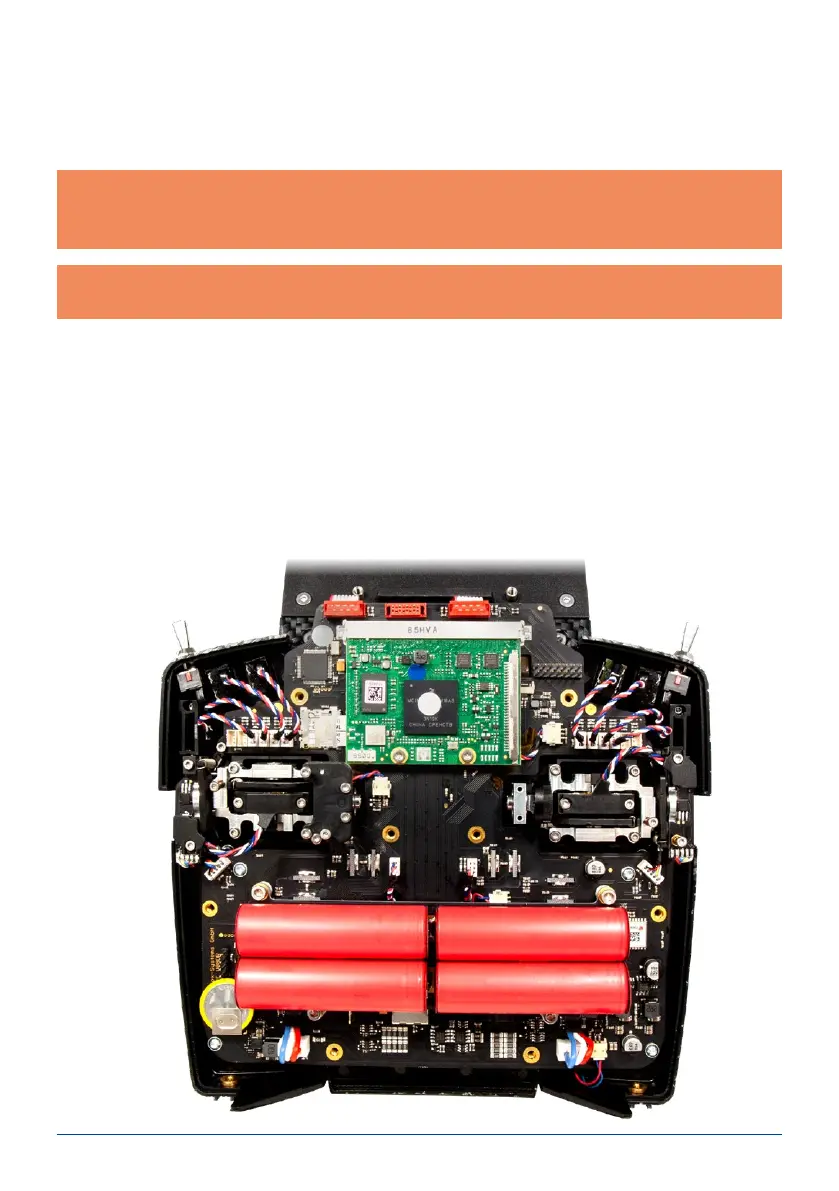
b) Opening the transmitter
As standard the CORE is supplied in the correct mode, as specied by the customer, but some users may
nd that the centring spring tension or the ratchet function needs to be adjusted to meet their personal pre-
ferences.
The rst step is to remove the handrests. Lay the CORE on a soft surface – ideally a thick layer of foam. Now
undo and remove all ten socket-head screws holding the back cover. Don’t remove the back cover yet, as the
cables for the switches and proportional controls in the cover must rst be disconnected.
This is the procedure: raise one side of the back cover slightly, and loosen the connectors by moving them to
left and right whilst pulling gently, then repeat the process on the other side.
The back cover is now free, and can be lifted off. You will see the transmitter’s internal features:



 To Next Page